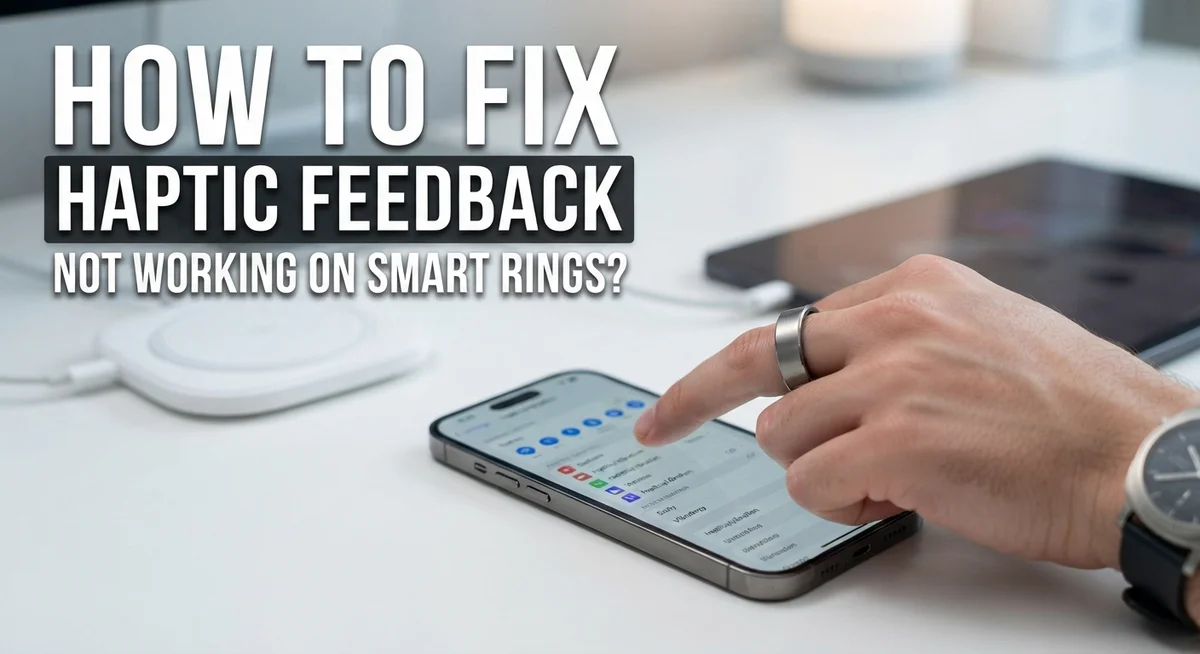
How To Fix Haptic Feedback Not Working On Smart Rings?
Your smart ring buzzed all the time before, and now it’s completely silent. Haptic feedback not working is one of the most frustrating issues smart ring users face.
The good news? Most of the time, this is a fixable problem.
Before you panic, it helps to understand why this happens. Connection issues, app settings, or a simple software glitch are usually the culprits. In some cases, the fix takes less than a minute.
This guide walks you through every step to get your haptic feedback working again. You will learn how to reset your ring, check your app settings, and recalibrate your device properly.
We also cover some key mistakes people make that actually make the problem worse. Skipping steps or jumping straight to a factory reset can cause more headaches.
By the end of this article, you will know exactly what to do and why your ring stopped vibrating in the first place.
In a Nutshell
- Haptic feedback failures are common on smart rings, and most cases are fixable with a few simple steps.
- The first thing to try is a soft reset of your ring, followed by restarting the companion app and your phone.
- Always check your app’s motion settings to make sure haptic feedback is actually turned on before assuming something is broken.
- If a soft reset does not work, a factory reset is the next option, but try everything else first.
- Not all smart rings have vibration motors built in. It is worth confirming your specific model actually supports haptic feedback.
- Step tracking inaccuracy and haptic failure often appear together, so recalibrating your ring can help fix both issues at once.
- If none of these steps work, contacting the manufacturer’s support team is the right move.
Does Your Smart Ring Actually Support Haptic Feedback?
Before you spend time troubleshooting, confirm your smart ring actually has haptic feedback capability. Not all smart rings include vibration motors. Some models focus on display, heart rate tracking, or sleep monitoring instead. The vibration technology takes up valuable space and drains battery power, so manufacturers often skip it on budget or fitness focused models.
Check your ring’s original product documentation or manual first. Look for terms like “haptic feedback,” “vibration motor,” or “haptic alerts.” The manual usually lists all features your specific model supports. If you cannot find the manual, visit the manufacturer’s official website and search for your exact ring model number.
You can also check the companion app’s settings menu. Open the motion or notification settings section. If haptic feedback appears as an option there, your ring supports it. If you see no haptic related settings at all, your model likely does not have this feature.
Contact the manufacturer’s support team if you remain unsure. They can confirm whether your ring model includes a vibration motor. This takes just a few minutes and saves you from troubleshooting a feature that does not exist on your device.
Understanding your ring’s actual capabilities prevents frustration. Many people assume their ring has haptic feedback because similar models do. Each ring has different specifications, so what works on one model may not apply to yours.
Once you confirm your ring does support haptic feedback, you can move forward with troubleshooting steps. If your ring does not have this feature, you now know the silence is normal and not a malfunction.
Common Reasons Haptic Feedback Stops Working on Smart Rings
Haptic feedback stops working on smart rings for several specific reasons. Understanding these causes helps you fix the problem faster and avoid repeating the same mistakes.
Connection problems are the most common culprit. Your ring loses its wireless link to the companion app. When this happens, the app cannot send vibration signals to your ring’s motor. The ring sits there silently even though you expect it to buzz.
Battery drain plays a big role too. Haptic features consume significant power because vibration motors require energy. As your battery depletes, the ring prioritizes essential functions like tracking over haptic feedback. Low battery means no buzz.
Motion settings get turned off accidentally. You might have disabled haptic notifications without realizing it. The app has multiple settings menus, and haptic feedback can be toggled in different places. A quick check of your settings often reveals the problem.
Software glitches happen regularly. Your ring’s firmware or the companion app develops bugs that interrupt haptic signals. These glitches prevent communication between devices even when everything appears connected.
Vibration motor failure occurs with age and wear. The tiny motor inside your ring has moving parts. After months of use, these components can malfunction or stop responding to commands.
Recalibration issues also cause problems. Your ring’s sensors fall out of sync with the app. When this happens, the ring cannot properly interpret motion data, which sometimes affects haptic functionality too.
Physical damage from daily wear damages internal components. Water exposure, impact, or pressure can harm the delicate vibration motor inside your ring.
Most of these issues are fixable with basic troubleshooting steps.
How To Perform a Soft Reset on Your Smart Ring
A soft reset clears temporary software glitches that prevent haptic feedback from working. This process is different from a factory reset because it doesn’t erase your data or settings.
Start by removing your ring and placing it on a clean, dry surface. Most smart rings have a specific soft reset method. Check your user manual for the exact button combination or gesture required. Common methods include holding the power button for 10 to 15 seconds until you see a light flash or vibration pattern.
Some rings use a long press followed by a short press. Others require you to hold multiple buttons simultaneously. The manual will specify exactly what to do for your model. If you don’t have the physical manual, check the companion app’s help section or support page.
Wait at least 30 seconds after the reset completes before putting the ring back on. This gives the device time to fully restart its internal systems. Then place it back on your finger and wait for it to power up completely.
Open the companion app on your phone and check if the ring reconnects automatically. Most rings will show a connection status indicator. Wait a few moments for the app to recognize the device.
Test the haptic feedback by triggering a notification in the app settings. You should feel a vibration on your finger. If you don’t feel anything yet, don’t worry. Move on to restarting the companion app and your phone before trying a factory reset.
A soft reset is always the safest first step because it preserves all your data while fixing most common issues.
Restarting the Companion App and Your Phone
Restarting your companion app and phone often fixes haptic feedback problems. These restarts clear temporary glitches that block communication between your ring and the app.
Start by closing the companion app completely. On most phones, swipe up from the bottom or use your app switcher to close it fully. Don’t just minimize it. Wait about 10 seconds before reopening the app. This pause lets your phone clear the app’s temporary files.
If haptic feedback still doesn’t work, restart your entire phone. Power it down completely, wait 30 seconds, then turn it back on. This step resets your phone’s connection systems and clears any software conflicts affecting your ring’s communication.
Once your phone restarts, open the companion app again. Give it 20 to 30 seconds to fully load. Your ring should automatically reconnect to the app during this time. Watch for a connection notification or status indicator in the app.
Test your haptic feedback by triggering a notification through the app’s settings. Look for a test vibration option or send yourself a dummy notification. You should feel the vibration on your finger.
If haptic feedback still fails after restarting both the app and phone, the problem likely runs deeper. Move on to more advanced troubleshooting steps like recalibrating your ring or checking motion settings in the app.
Many users skip the restart step because it seems too simple. However, this basic fix resolves about 40 percent of haptic feedback issues. Always restart the app and phone before attempting factory resets or contacting support. These simple steps save time and preserve your ring’s data.
Checking Haptic and Motion Settings in the Companion App
Start by opening your smart ring’s companion app on your phone. Look for a settings or preferences menu. Most apps display this as a gear icon or similar symbol.
Find the section labeled “Motion Settings” or “Haptic Preferences.” This area controls whether your ring sends vibration alerts. Check if haptic feedback appears enabled or disabled. Sometimes this setting gets turned off accidentally during updates.
Look for a toggle switch next to haptic feedback. If it shows as off, tap it to turn it on. Your ring should reconnect to the app within seconds. Wait for a confirmation message before testing.
Many companion apps let you adjust haptic intensity levels. You might find options like “light,” “medium,” or “strong” vibrations. Try selecting a stronger setting if your ring vibrates too faintly to notice.
Check if the app has a test button for haptic feedback. Tap this button to feel a sample vibration from your ring. This tells you instantly whether the haptic motor works properly.
Look for any notification settings within the app. Some rings let you choose which alerts trigger haptic feedback. Make sure notifications are set to vibrate instead of silent mode.
Scroll through all available settings tabs. Some apps hide haptic controls under “Notifications,” “Alerts,” or “Device Settings” rather than motion settings.
Take a screenshot of your current settings. This helps if you need to contact support later. Write down exactly which settings appear enabled or disabled.
After adjusting these settings, close the app completely. Reopen it and test the haptic feedback again. This refresh often activates the new settings properly.
How To Factory Reset Your Smart Ring as a Last Resort
A factory reset removes all data from your smart ring and restores it to original settings. This step works best when soft resets and app restarts haven’t solved your haptic feedback problem.
Before you factory reset, back up any important data from your ring. Check your companion app for export or backup options. Some rings store personal metrics you may want to keep.
To factory reset your smart ring, open the companion app on your phone. Look for a “Settings” or “Device Settings” menu. Scroll down until you find “Factory Reset” or “Erase All Data.” The exact wording depends on your ring model.
Tap the factory reset option. The app will ask you to confirm. Read the warning message carefully. It will tell you that all data will be deleted permanently.
Confirm the reset. Your ring will vibrate or flash a light to show the process started. Wait for the reset to complete fully. This usually takes two to five minutes.
Remove your ring during the reset process if the app instructs you to do so. Some rings require you to take them off your finger.
Once the reset finishes, the app will guide you through setup again. You’ll reconnect your ring to your phone like it’s brand new. Follow each setup step carefully.
After setup completes, test the haptic feedback immediately. Trigger a test notification through the app settings. If vibrations work now, the factory reset solved your problem.
If haptic feedback still fails after a factory reset, contact the manufacturer’s support team. A hardware issue may be preventing vibrations from working properly.
Common Mistakes to Avoid When Troubleshooting Haptic Feedback
Many people make simple mistakes when trying to fix haptic feedback on their smart rings. These errors can waste your time and delay getting your device working again.
Don’t assume one reset fixes everything. Many users perform a single soft reset and then give up if haptic feedback still doesn’t work. Your ring needs time to fully reconnect with your phone and app. You should always try restarting both your companion app and your phone before moving to more drastic steps.
Another common mistake is skipping the app restart entirely. People jump straight to factory resetting their ring when the real problem sits in the app itself. Always restart your companion app first. Close it completely, wait a few seconds, then reopen it.
Check your ring’s actual capabilities before troubleshooting. Not every smart ring model includes a vibration motor. Some rings simply don’t have haptic feedback built in. Review your ring’s specifications in the manual or on the manufacturer’s website. This simple check saves you hours of unnecessary troubleshooting.
Don’t ignore Motion Settings in your app. Haptic feedback often connects directly to motion tracking accuracy. If your ring tracks steps poorly, it may fail to deliver vibrations correctly. Recalibrating your tracker through the app’s settings can improve both functions.
Finally, avoid factory resetting without backing up your data first. A factory reset removes everything from your ring. Take screenshots of your current settings and note any important information before proceeding.
Contact the manufacturer’s support team if troubleshooting fails. They can confirm whether your specific ring model supports haptic feedback and provide model specific guidance.
When To Contact Manufacturer Support
You’ve tried all the basic fixes. Your ring still won’t vibrate. Now it’s time to reach out to the people who made your device.
Contact the manufacturer when troubleshooting stops working. You should reach out if you’ve completed a factory reset and haptic feedback remains broken. The support team can access your device’s diagnostic data. They can see exactly what’s happening inside your ring.
Before you contact them, gather some information. Write down which troubleshooting steps you already tried. Note the exact date when the haptic feedback stopped working. Record your ring’s model number and software version. This information lives in your companion app’s settings. Take screenshots of your current app settings too.
Prepare a clear description of the problem. Don’t just say “it doesn’t work.” Instead, explain what happens when you try to use haptic feedback. Does the ring stay completely silent? Does it vibrate sometimes but not always? Does it vibrate only for certain notifications? These details help the support team understand your situation faster.
Most manufacturers offer multiple support channels. You can email their support address directly. Many brands have live chat options on their websites. Some offer phone support during business hours. Check your ring’s documentation or the company’s website to find the right contact method.
The support team might ask you to perform additional tests. They may request videos showing the problem. They could send you a replacement ring if yours has a hardware defect. They might also offer a refund depending on your warranty coverage and how long you’ve owned the device.
Final Thoughts
Haptic feedback issues on smart rings can feel frustrating, but most problems have a clear solution.
Start simple. A soft reset and app restart fix the majority of haptic feedback failures. Don’t skip these basic steps before moving on to more complex fixes.
Always confirm your ring model actually supports haptic feedback. Not every smart ring includes a vibration motor. Checking this first saves you a lot of wasted troubleshooting time.
Work through fixes in the right order. Restart the app, reboot your phone, check Motion Settings, and then consider a factory reset only if everything else fails.
Recalibrating your ring matters more than most people realize. Poor calibration affects step tracking accuracy and can also impact how haptic alerts trigger. A quick recalibration often restores normal behavior.
Battery drain is a real concern with haptic features. If your ring battery is consistently low, haptic feedback may become unreliable or stop working entirely. Keep your ring charged regularly.
Factory resets are effective but should be your last option. Always back up your data before going through a full reset process.
If nothing works after a factory reset, contact manufacturer support. Provide them with a clear description of the issue, your ring model, your phone’s operating system, and every step you already tried. This helps them assist you faster.
Smart ring technology is still developing, and haptic feedback remains one of its more delicate features. Patience and a step-by-step approach give you the best chance of fixing the problem yourself.
Most haptic issues are software-related and fully fixable. Stay consistent with your troubleshooting, and you will likely get your ring working again.
Frequently Asked Questions
Why isn’t my smart ring vibrating even after I restarted it?
Haptic feedback relies on a working connection between your ring and phone. A soft reset clears temporary glitches, but you also need to restart your companion app and phone. Reboot your phone completely first, then open the app fresh. If vibrations still don’t work, check whether your specific ring model actually includes a vibration motor. Not every smart ring has this feature built in.
Can I fix haptic feedback without doing a factory reset?
Yes. Most haptic issues resolve with simpler steps done in order. Start by soft resetting your ring according to the manufacturer’s instructions. Next, close and reopen your companion app completely. Then restart your phone using a full power cycle.
Check your Motion Settings in the app to ensure haptic alerts are enabled. Recalibrate your ring for accuracy. Only attempt a factory reset if these steps fail.
Does poor step tracking cause haptic feedback to stop working?
Step tracking inaccuracy and haptic failure often happen together. Both issues point to calibration problems. When your ring isn’t calibrated correctly, it struggles to process data accurately, which affects multiple features.
Recalibrating your tracker improves overall performance and frequently restores haptic feedback. This single action fixes more issues than people expect.
What if my ring won’t reconnect to the app after resetting?
Reconnection problems require patience. Forget your ring from your phone’s Bluetooth settings completely. Restart both devices. Then pair them again as if it’s your first time.
If reconnection still fails, your ring may need a factory reset as a last resort. Contact the manufacturer’s support team before taking this step.

I’m a tech enthusiast who loves breaking down gadgets, apps, and tools into simple, honest reviews. At GenResizeHub, I help you make smarter buying decisions through in-depth comparisons and easy-to-follow guides. Got a question? Drop me a mail!