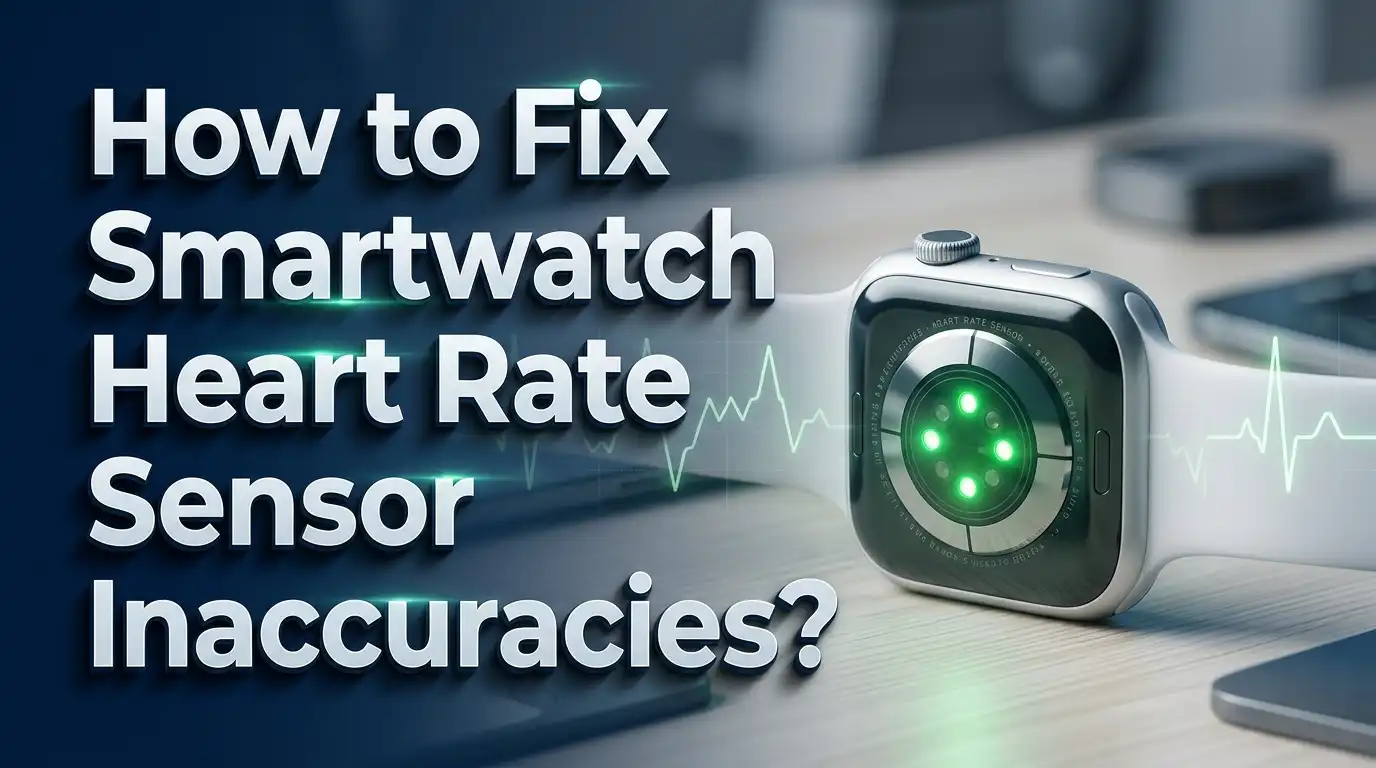
How to Fix Smartwatch Heart Rate Sensor Inaccuracies?
Your smartwatch says your heart rate is 180 beats per minute, but you are just sitting on the couch. Sound familiar? You are not alone. Millions of smartwatch users deal with heart rate sensor errors every single day. The good news is that most of these problems have simple fixes you can do right now.
Smartwatch heart rate sensors use a technology called photoplethysmography (PPG). This system shines green LED light into your skin and measures how much light your blood absorbs. Changes in blood volume help the sensor calculate your heart rate. T
This guide will walk you through every fix available. You will learn exactly how to position your watch, clean the sensor, adjust your settings, and troubleshoot specific problems. Let’s get your heart rate readings back on track.
Key Takeaways
- Wear your smartwatch at least two finger widths above your wrist bone. This positions the sensor over softer tissue with better blood flow, which dramatically improves accuracy. The flat area directly over the wrist bone is one of the worst spots for optical heart rate readings.
- Keep the band snug but not too tight. The sensor needs full contact with your skin, and any gap lets ambient light interfere with the reading. Your watch should move with your skin, not slide over it.
- Clean the heart rate sensor regularly. Sweat, dirt, sunscreen, and skin oils build up on the sensor over time. This gunk blocks the LED light and reduces reading quality. A quick wipe with a damp cloth before workouts makes a big difference.
- Update your smartwatch firmware often. Manufacturers constantly improve their heart rate algorithms through software updates. A simple firmware update can significantly boost the accuracy of your readings without changing anything else.
- Use a chest strap for high intensity workouts. Optical wrist sensors struggle with rapid heart rate changes during sprints and interval training. A chest strap measures electrical signals from your heart and provides clinical grade accuracy during intense exercise.
- Tattoos, dark skin, and cold weather all reduce sensor performance. If any of these factors apply to you, try wearing the watch on an untattooed area, warming up before tracking, or switching to an external heart rate monitor for best results.
How Smartwatch Heart Rate Sensors Work
Understanding how your sensor works is the first step to fixing it. Every modern smartwatch uses optical photoplethysmography (PPG) to measure heart rate. The back of your watch has small green LED lights and a photodetector. These LEDs flash hundreds of times per second and shine light into the blood vessels under your skin.
When your heart beats, blood surges through your capillaries. This blood absorbs more green light during a pulse and less light between pulses. The photodetector picks up these tiny changes in light absorption. An algorithm then converts those light fluctuations into a heart rate number.
The system sounds simple, but it depends on ideal conditions. The sensor needs direct, consistent contact with your skin. It needs a clear path to your blood vessels. Any disruption to the light signal will cause errors. Motion, sweat, ambient light, poor positioning, and physical characteristics like skin tone or body hair can all distort the signal.
PPG sensors also have a built in delay compared to chest strap monitors. A chest strap reads the electrical impulses from your heart directly. A wrist sensor must wait for the blood pulse to reach the capillaries in your wrist. This delay means wrist sensors are inherently slower to respond to sudden heart rate changes. Understanding this limitation helps you set realistic expectations for your smartwatch.
Position Your Watch Correctly on Your Wrist
The single biggest factor in heart rate accuracy is where you wear your watch. Most people strap their smartwatch right on top of the wrist bone. This is actually one of the worst positions for heart rate readings. The wrist bone creates a gap between the sensor and your skin. It also sits over tendons rather than the fleshy tissue the sensor needs.
Move your watch at least two finger widths above your wrist bone. This places the sensor over the forearm area where there is more soft tissue and better blood flow. Testing by athletes and watch enthusiasts has confirmed that this simple change eliminates many accuracy issues. The tissue here is thicker, and the sensor gets a stronger, cleaner signal.
Another option that works well for running is wearing the watch on the underside (palm side) of your wrist. Real world testing with external heart rate monitors for comparison showed that readings from this position matched armband monitors almost exactly. Average and maximum heart rate values were identical in controlled tests. This position also reduces the risk of cadence lock, a common problem where the sensor mistakes your arm swing rhythm for your heart rate.
The position you choose may depend on your activity. For cycling, the top of the forearm works better because the underside of your wrist rests on the handlebars. For running, the underside position gives great readings and makes the display easier to check mid stride.
Adjust Your Watch Band Tightness
Band tightness is the second most important factor after position. If your band is too loose, ambient light leaks between the sensor and your skin. This extra light overwhelms the photodetector and corrupts the heart rate signal. Loose bands also shift around during movement, causing the sensor to lose contact with your skin repeatedly.
The ideal tightness is easy to test. Your watch should be snug enough that your skin moves with the watch when you slide it. You should not be able to fit a finger between the band and your wrist during workouts. However, the band should never be so tight that it restricts blood circulation or leaves deep marks on your skin.
Many people wear their watch at a comfortable daytime tightness and forget to adjust it for exercise. This is a common mistake. Consider tightening your band by one notch before you start any physical activity. The extra movement during exercise increases the chance of the watch shifting, so a slightly tighter fit compensates for this.
Some users report that nylon Velcro bands provide more consistent readings than standard silicone bands. Velcro allows for micro adjustments and conforms better to the shape of your wrist. However, stock silicone bands work well for most people as long as the fit is correct. The key is ensuring consistent, firm contact between the sensor and your skin throughout the entire workout.
Clean the Heart Rate Sensor Regularly
A dirty sensor is a common and easily overlooked cause of inaccurate readings. Over time, sweat, skin oils, sunscreen, dirt, and dead skin cells accumulate on the optical sensor window. This buildup creates a film that blocks the LED light and reduces the quality of the signal the photodetector receives.
Clean the back of your watch after every sweaty workout. Use a soft, damp cloth to gently wipe the sensor area. For a deeper clean, use a mild soap and water. Rinse thoroughly and dry with a lint free cloth. Never use household cleaning sprays, bleach, hydrogen peroxide, or abrasive materials on your sensor. These chemicals can damage the coating on the sensor glass.
Also check the sensor area for scratches. Deep scratches on the sensor glass scatter the LED light in unintended directions. This scattered light produces noisy data that the algorithm struggles to interpret. Handle your watch carefully, and avoid placing it face down on rough surfaces. If the sensor glass becomes heavily scratched, consider getting a replacement back cover from the manufacturer.
Some new smartwatches come with a protective sticker over the sensor. Remove this sticker before use. It may seem obvious, but many users overlook it. This sticker blocks the LED light completely and will give you wildly inaccurate or no readings at all. A quick inspection of the sensor area can reveal this easy fix.
Update Your Smartwatch Firmware and Software
Heart rate accuracy is not just a hardware issue. The algorithms that process the raw sensor data play a huge role in the final reading. Smartwatch manufacturers constantly refine these algorithms through firmware updates. A single update can dramatically improve how your watch handles motion artifacts, filters noise, and calculates your actual heart rate.
Check for firmware updates at least once a month. On most smartwatches, you can do this through the companion app on your phone. For Garmin devices, use the Garmin Connect app. For Apple Watch, go to the Watch app on your iPhone. For Samsung Galaxy Watch, open the Galaxy Wearable app. The update process usually takes just a few minutes.
After updating, restart your watch. This helps the new software initialize properly. Some users have reported that heart rate sensors stopped working correctly after an update, and a simple restart fixed the issue. If a restart does not help, try a full power cycle by turning the watch off, waiting 30 seconds, and turning it back on.
In rare cases, a firmware update can introduce new bugs that affect heart rate tracking. If you notice worse accuracy after an update, check online forums for reports from other users. Manufacturers usually release a follow up patch within a few weeks. You can also contact the manufacturer’s support team to report the issue and get guidance.
Understand and Fix Cadence Lock
Cadence lock is one of the most frustrating accuracy issues for runners and cyclists. It happens when your watch confuses the rhythmic motion of your arms with your heartbeat. The result is a heart rate reading that matches your step cadence rather than your actual pulse. If your heart rate graph looks suspiciously close to 170 to 180 BPM during an easy jog, cadence lock is likely the cause.
This happens because the motion of your arms during running creates vibrations in the blood vessels under the sensor. The PPG sensor picks up these vibrations along with the actual blood flow changes. When the two signals overlap, the algorithm may lock onto the stronger, more rhythmic cadence signal instead of the subtler heart rate signal.
The best way to avoid cadence lock is to reposition your watch. Move it higher on your forearm or to the underside of your wrist. Both positions reduce the mechanical vibrations that cause the problem. Testing has shown that wearing the watch on the underside of the wrist virtually eliminates cadence lock during running.
A snugger band also helps prevent cadence lock. When the watch bounces on your wrist, the sensor repeatedly loses and regains contact. This intermittent signal is where cadence artifacts become most problematic. Tightening the band by one notch before a run can stop the issue entirely. If cadence lock persists despite these adjustments, consider using an external heart rate monitor for running.
Deal with Tattoos and Skin Tone Issues
Tattoos are a known problem for optical heart rate sensors. The ink pigments in tattoos absorb and scatter the LED light before it reaches your blood vessels. Dark inks, especially black and dark blue, block the most light. This means the sensor cannot detect blood volume changes properly, leading to erratic or flat readings.
Research and manufacturer support pages from COROS, Apple, and Garmin all confirm this issue. If you have a tattoo on your wrist where the watch sensor sits, the best solution is to wear the watch on your other wrist or on a part of your arm without tattoos. There is no software fix for this because the problem is physical light obstruction.
Skin tone can also affect accuracy, though this is a more nuanced issue. A systematic review found that heart rate measurements were less accurate for individuals with darker skin tones compared to lighter skin tones. Darker skin contains more melanin, which absorbs more green light. This reduces the signal strength the sensor receives. However, newer sensors with improved LED arrays and algorithms have narrowed this gap significantly.
If you have darker skin or dense wrist tattoos and experience consistent inaccuracy, the most reliable fix is an external heart rate monitor. A chest strap bypasses all optical issues because it reads electrical signals, not light. An arm band heart rate monitor worn higher on the forearm may also work if the skin in that area is untattooed and provides a better signal.
Manage Cold Weather Heart Rate Errors
Cold weather is a notorious accuracy killer for smartwatch heart rate sensors. When temperatures drop, your body activates a process called vasoconstriction. Blood vessels near the skin surface narrow to conserve heat and protect your core. This reduces blood flow to your wrists, which means there is less blood for the sensor to detect.
The result is often erratic readings, sudden spikes, or complete signal loss. Many runners report that their watch shows absurd heart rate numbers during winter runs, sometimes displaying values in the 40s one moment and 200s the next. This is a direct consequence of reduced blood flow to the sensor area.
The simplest fix is to warm up the sensor area before starting your activity. Rub your wrist vigorously or wear your watch under your jacket sleeve for a few minutes before heading outside. Keeping the watch covered with a long sleeve shirt during the activity also helps maintain skin temperature and blood flow around the sensor.
If you run or exercise regularly in temperatures below freezing, a chest strap is the most reliable solution for cold weather. Chest straps measure heart rate through electrical signals rather than light, so vasoconstriction does not affect them. Experienced athletes report that they switch to chest straps whenever temperatures drop below 0°C (32°F). Some armband optical monitors can also struggle in extreme cold, so a chest strap is the safest choice for accurate winter training data.
Use an External Heart Rate Monitor for Intense Workouts
Wrist based optical sensors perform well during steady state activities like walking, easy jogging, and cycling at a constant pace. They struggle with rapid heart rate changes during high intensity interval training (HIIT), sprints, and heavy weightlifting. The inherent lag of PPG technology means the sensor cannot keep up with fast rises and drops in heart rate.
Research confirms this limitation. A study published in Sports Medicine found that wrist sensors show higher underestimation as exercise intensity increases. During sprint intervals, the watch may show your heart rate peaking at 160 BPM when your actual peak was 185 BPM. This inaccuracy affects training zone calculations, recovery recommendations, and VO2 max estimates.
A chest strap heart rate monitor is the gold standard for intense workouts. These devices use electrocardiography (ECG) sensors that detect the electrical signals from your heart. They respond almost instantly to heart rate changes and maintain accuracy regardless of motion, sweat, or skin characteristics. Studies consistently rank chest straps as the most accurate consumer heart rate monitors available.
Most modern smartwatches can pair with external chest strap monitors via Bluetooth or ANT+. Once paired, the watch displays the chest strap data instead of its own sensor data. This gives you the best of both worlds: the convenience of your smartwatch display with the accuracy of a chest strap. For interval training, threshold workouts, and sprint sessions, this combination delivers the most trustworthy data.
Check for Excessive Sweat and Moisture
While a small amount of moisture can actually help the sensor maintain good contact with your skin, excessive sweat creates problems. A thick layer of sweat between the sensor and your skin can refract the LED light unpredictably. Sweat can also cause the watch to slide around on your wrist, breaking the consistent contact the sensor needs.
During long or intense workouts, take a moment to wipe the sensor area and your wrist with a towel. This removes the excess sweat layer and restores direct contact between the sensor and your skin. Some athletes carry a small wristband above their watch to absorb sweat before it reaches the sensor area.
Conversely, very dry skin can also affect accuracy. If your skin is extremely dry, the sensor may not get a clean signal. A tiny amount of moisture or water on the sensor can improve the optical contact. Some runners lightly moisten the sensor area before putting on their watch, especially in cold, dry conditions. Heart rate gel products also exist that can improve the optical coupling between the sensor and your skin.
Pool swimming presents a unique challenge. Most smartwatches claim water resistance, but water between the sensor and your skin behaves differently than air. Some watches handle this well, while others produce unreliable data in the pool. If your watch consistently gives poor readings during swimming, check the manufacturer’s guidelines for swim mode settings and consider a waterproof chest strap for pool sessions.
Address Body Hair Interference
Body hair on your wrist and forearm can interfere with optical heart rate readings. Hair creates small gaps between the sensor and your skin, allowing ambient light to enter and disrupting the light path. Thick or dark hair also absorbs some of the LED light, reducing the signal that reaches the photodetector.
The easiest solution is to shave or trim the hair in the area where the sensor sits. You do not need to shave your entire arm. A small patch about the size of the watch sensor is enough. Many serious athletes who rely on heart rate training already do this. It may seem like a small change, but it can noticeably improve signal quality.
If you prefer not to shave, try wearing the watch on the underside of your wrist where hair is typically thinner or absent. This position often provides better readings for people with hairy arms. Another option is to position the watch higher on the forearm where you can find a spot with less hair.
Pressing the watch firmly against hairy skin can also help. A tighter band compresses the hair flat against the skin, reducing the air gaps. This is not a perfect solution, but it can improve readings without any grooming. If none of these approaches give you reliable data, an external heart rate monitor worn on the chest is unaffected by body hair and provides the most consistent accuracy.
Restart and Reset Your Smartwatch
Sometimes the fix is as simple as turning your watch off and on again. Software glitches can cause the heart rate sensor to behave erratically. The sensor may freeze on a number, display wildly fluctuating values, or stop reading entirely. A restart clears the temporary data and reinitializes the sensor.
To restart most smartwatches, hold down the power button until the restart option appears. For Apple Watch, press and hold the side button, then tap the power off slider. Wait 30 seconds, then turn it back on. For Garmin watches, hold the power button for about 15 seconds until the watch reboots.
If a restart does not fix the issue, try a soft reset. This process varies by brand but usually involves a specific button combination. A soft reset clears the watch’s cache and temporary files without deleting your personal data or settings. Check your watch manufacturer’s support page for the exact steps.
As a last resort, a factory reset can resolve persistent sensor issues. This erases all data and settings, returning the watch to its original state. Back up your data before doing this. After the factory reset, leave the watch charging for 30 to 60 minutes before setting it up again. This allows the sensor to reinitialize properly. Many users report that a factory reset solved heart rate issues that no other troubleshooting step could fix.
Know When to See a Doctor
While smartwatch heart rate inaccuracies are usually a technology problem, there are times when unusual readings deserve medical attention. Do not rely solely on your smartwatch for health monitoring. These devices are fitness tools, not medical devices, and their readings should not replace professional medical evaluation.
If your smartwatch consistently shows a very high resting heart rate (above 100 BPM) or a very low one (below 40 BPM) even after you have fixed all technical issues, consult a doctor. Similarly, if you notice frequent irregular heart rate notifications from your watch, take them seriously. While false alerts do happen, conditions like atrial fibrillation, tachycardia, and bradycardia are real and require medical evaluation.
Pay attention to how you feel during exercise compared to what your watch displays. If your watch says your heart rate is 120 BPM but you feel extremely winded and exhausted, something may be off. Trust your body over your watch. Manual pulse checks by placing two fingers on your neck or wrist can give you a quick verification of your watch’s accuracy.
Your smartwatch can serve as a useful early warning system for potential heart issues, but it has limitations. Use it as one data point among many. If you have concerns about your heart health, a medical professional with clinical grade equipment like a 12 lead ECG can provide definitive answers that no consumer wearable can match.
Summary of All Fixes at a Glance
Let’s bring everything together. If your smartwatch heart rate sensor is giving you bad data, work through these fixes in order. Start with the easiest adjustments and move to more involved solutions if needed.
First, check your watch position. Move it two finger widths above the wrist bone. Try the underside of the wrist for running. Second, adjust your band tightness. Make it snug enough that the skin moves with the watch. Third, clean the sensor with a damp cloth and check for scratches or a protective sticker you forgot to remove.
Fourth, update your firmware through the companion app. Restart the watch after updating. Fifth, address environmental factors. Warm up in cold weather, wipe excess sweat, and manage moisture levels. Sixth, consider physical factors like tattoos, skin tone, and body hair. Reposition the watch or shave the sensor contact area if needed.
Seventh, understand your sensor’s limits. Use a chest strap for HIIT, sprints, and interval training. Pair it via Bluetooth or ANT+ for the most accurate data during intense exercise. If you have tried every fix on this list and still get poor readings, contact your watch manufacturer’s support team. There may be a hardware defect that requires repair or replacement.
Most heart rate accuracy problems come down to watch position and band tightness. Fix those two things, and you will likely see an immediate improvement. The other fixes address specific situations that affect certain users. Work through them systematically, and you will get the most accurate data your smartwatch can deliver.
Frequently Asked Questions
Why does my smartwatch show an abnormally high heart rate while resting?
This usually happens because of poor sensor contact or a software glitch. Check that the watch is snug on your wrist and the sensor is clean. Restart the watch if the reading seems stuck at a high number. If the high resting heart rate persists across multiple readings and days, consult a doctor to rule out any medical conditions.
Can I trust my smartwatch heart rate during exercise?
Smartwatch heart rate readings are reasonably accurate for steady state exercise like walking, jogging, and cycling at a constant pace. They become less reliable during rapid heart rate changes like sprints and interval training. For the most accurate exercise data, position your watch correctly and consider using a chest strap for intense workouts.
How often should I clean my smartwatch heart rate sensor?
Clean the sensor after every sweaty workout with a soft, damp cloth. Do a more thorough cleaning with mild soap and water at least once a week. Regular cleaning prevents the buildup of oils, sweat, and dirt that degrade sensor performance over time. Avoid harsh chemicals that can damage the sensor coating.
Do tattoos permanently affect smartwatch heart rate accuracy?
Yes, tattoos in the sensor contact area will consistently reduce accuracy. Dark inks block and scatter the LED light the sensor needs to read your blood flow. The only practical solutions are wearing the watch on an untattooed area of your wrist or using an external heart rate monitor like a chest strap.
Is a chest strap really more accurate than my smartwatch sensor?
Studies consistently show that chest straps are significantly more accurate than wrist based optical sensors. They use electrical signals rather than light, so they are unaffected by skin tone, tattoos, sweat, cold weather, or motion artifacts. For athletes and anyone who depends on precise heart rate data, a chest strap is the best investment.
Why does my smartwatch heart rate spike during winter runs?
Cold temperatures cause vasoconstriction, which reduces blood flow to your wrists. The sensor cannot detect enough blood volume changes and produces erratic data. Warm up indoors before starting, keep the watch under your sleeve, and consider using a chest strap for runs in temperatures below freezing.

I’m a tech enthusiast who loves breaking down gadgets, apps, and tools into simple, honest reviews. At GenResizeHub, I help you make smarter buying decisions through in-depth comparisons and easy-to-follow guides. Got a question? Drop me a mail!