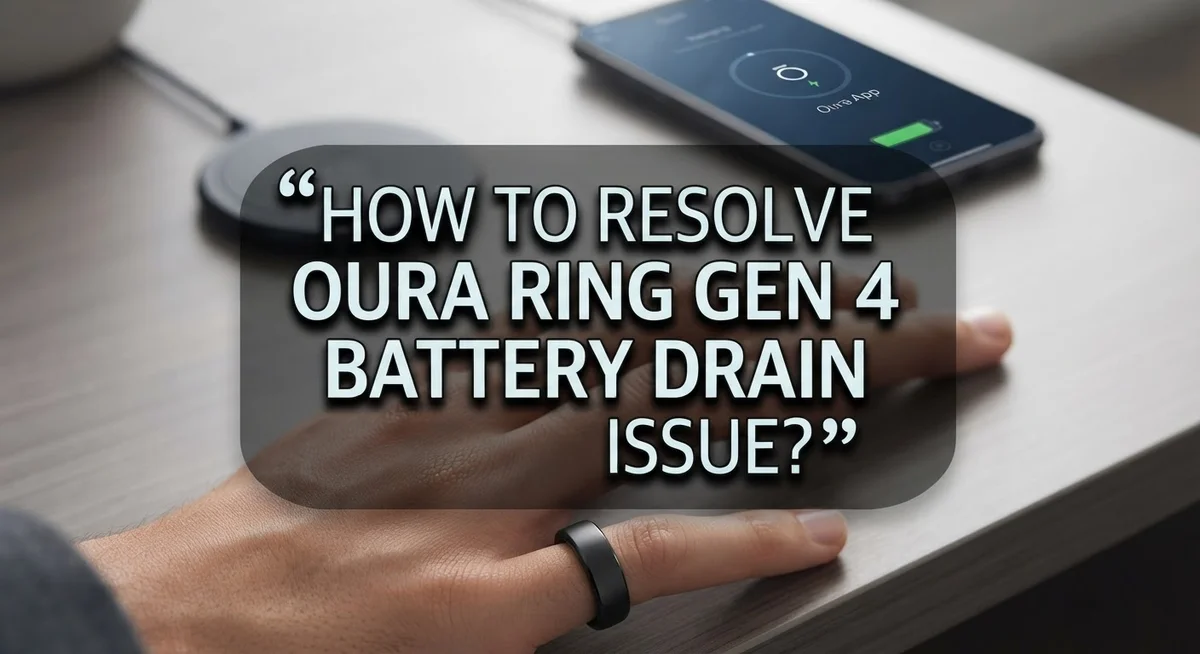
How To Resolve Oura Ring Gen 4 Battery Drain Issue?
Your Oura Ring Gen 4 is supposed to last up to 8 days on a single charge. So when it barely makes it through 2 days, something is clearly wrong.
Many users have reported rapid battery drain after regular use. Some have seen their ring drop from 100% to under 25% in just two days. That is frustrating, especially for a device you rely on for daily health tracking.
The good news is that this issue is not always a hardware defect. In many cases, simple settings changes can make a big difference.
This article covers the most common reasons your Oura Ring Gen 4 battery drains too fast. It also walks you through practical fixes you can try right now, from firmware updates to Bluetooth settings.
In a Nutshell
- Bluetooth connectivity is one of the biggest reasons your Oura Ring Gen 4 loses battery faster than expected.
- Firmware updates play a major role in battery performance. Skipping updates can make the drain worse.
- Enabling Airplane Mode on your ring when you do not need live syncing can noticeably extend battery life.
- Many users have found that disconnecting the ring from its phone connection temporarily resolves the rapid drain problem.
- Charging habits matter. Waiting until your battery is critically low before charging is a common mistake that affects long-term battery health.
- Some units do have hardware defects, and Oura does offer replacements through their warranty and insurance options.
What Causes Battery Drain on the Oura Ring Gen 4?
Your Oura Ring Gen 4 battery drains faster than expected for several specific reasons. Understanding these causes helps you fix the problem quickly.
Bluetooth connectivity is the primary culprit. Your ring constantly communicates with your phone to sync data. This background connection runs continuously and consumes significant power. When your phone and ring stay connected all day, your battery can drop from a full charge to nearly empty in just two days instead of the advertised eight days.
Firmware issues also cause rapid battery drain. Older software versions contain bugs that force your ring to work harder than necessary. These outdated programs drain your battery even when you are not actively using your ring. Keeping your firmware updated fixes many of these inefficiencies.
Charging habits impact long term battery health. Many users wait until their battery reaches critically low levels before charging. This practice stresses your battery and reduces its overall capacity over time. Frequent shallow charges preserve battery performance better than rare deep discharges.
Defective hardware affects some units. A small percentage of Oura Ring Gen 4 devices have manufacturing defects that cause abnormal power consumption. These faulty rings drain batteries regardless of your settings or usage patterns. If you have already tried all software fixes, your ring might be defective.
Continuous sensor activity drains power too. Your ring runs multiple sensors constantly to track heart rate, temperature, and movement. These sensors work nonstop, even during sleep. This constant monitoring is normal but does consume battery power.
Airplane Mode usage also matters. Leaving Airplane Mode off means your ring searches for phone connections constantly. This searching process uses energy even when no connection exists. Enabling Airplane Mode when you do not need syncing preserves battery significantly.
How To Check Your Oura Ring Gen 4 Battery Health
Your Oura Ring Gen 4 tracks several health metrics constantly. This means checking your battery health helps you understand if drain is normal or a sign of problems.
Start by opening the Oura app on your phone. Look at the battery percentage displayed on your home screen. This shows your current charge level. Check this number at the same time each day for three to five days. You will see a pattern of how fast your battery actually drains.
Next, navigate to your ring settings within the app. Find the device information section. This area shows your firmware version and hardware details. Write down these numbers. You need them if you contact Oura support later about drain issues.
Pay attention to battery notifications. Your ring sends alerts when battery drops to certain levels. Enable low battery notifications if they are off. This helps you catch problems early instead of waiting until your ring dies.
Check your Bluetooth connection status. Open your phone’s Bluetooth settings. See if your ring connects and disconnects frequently. Constant reconnecting drains battery faster than a stable connection.
Monitor your charging patterns too. Charge your ring at the same time each day. Note how long it takes to reach 100 percent. Healthy batteries charge at consistent speeds. Slow charging can signal battery aging or hardware issues.
If your battery drops from 100 percent to below 50 percent in just one day, this is abnormal. Most users see a drop of 15 to 20 percent daily under normal conditions. Anything faster suggests a problem worth investigating further.
How To Update Oura Ring Gen 4 Firmware To Fix Battery Issues
Keeping your Oura Ring Gen 4 firmware current is one of the most effective ways to address battery drain problems. Firmware updates often include battery optimization fixes that manufacturers release after identifying drain issues in real world use.
To update your ring, open the Oura app on your phone and go to your device settings. Look for the “Device Information” or “About” section where you can check your current firmware version. The app will notify you if an update is available.
Connect your ring to your phone via Bluetooth before starting the update process. Make sure your ring has at least 50 percent battery remaining. Updates require a stable connection, so stay near your phone during the entire process.
When an update is available, tap the update button and follow the on screen prompts. The process typically takes five to ten minutes. Do not remove your ring or disconnect Bluetooth until the update completes fully.
After the update finishes, restart your ring by removing it and placing it back on your finger. Open the Oura app again to confirm the new firmware version installed successfully.
Many users report improved battery performance immediately after updating. Some see their charge cycle extend from two days back to four or five days. If battery drain continues after updating, try enabling low battery notifications in your app settings.
Check for firmware updates regularly. Oura releases updates periodically to address performance issues. Setting a monthly reminder to check for updates helps you stay current and prevents battery problems from developing.
If updates do not resolve your drain issue, your ring may have a hardware defect requiring replacement through Oura’s warranty program.
How To Manage Bluetooth and Phone Connectivity To Reduce Drain
Bluetooth and phone connectivity drain your Oura Ring Gen 4 battery significantly. When your ring stays connected to your phone constantly, it uses power to maintain that wireless link. Disabling this connection when you don’t need it helps extend your battery life dramatically.
Start by opening your Oura app and checking your Bluetooth settings. Look for the option to disconnect your ring from your phone. You can reconnect it later when you want to sync your health data. Many users find that disconnecting resolves battery drain issues completely.
Consider using Airplane Mode on your phone during times when you don’t need data syncing. This stops your ring from searching for a Bluetooth connection. Your ring will still track your health metrics and store the data. You can sync everything once you turn Airplane Mode off.
Enable low battery notifications in your app settings. This alerts you before your battery gets critically low. You’ll avoid the habit of draining your ring completely, which stresses the battery.
Charge your ring more frequently instead of waiting for it to die. Daily charging keeps your battery healthier than occasional deep discharges. Even 30 minutes of charging each day helps maintain battery performance.
If you notice your battery drops from 100 percent to 23 percent in just two days, your connectivity settings might need adjustment. Check which apps have permission to access your ring’s Bluetooth. Disable unnecessary permissions that drain power without providing value.
These connectivity adjustments work best when combined with regular firmware updates. Most users see improvement within a few days of managing their Bluetooth settings carefully.
How To Use Airplane Mode To Preserve Oura Ring Battery Life
Airplane Mode is a simple feature that stops your phone from sending and receiving signals. When you enable it, your Oura Ring Gen 4 stops trying to connect to your phone constantly. This reduces one of the biggest battery drains on your device.
Here’s how Airplane Mode helps your ring. Your ring uses Bluetooth to stay connected to your phone all day long. This connection searches for your phone even when you’re not actively using the app. Airplane Mode cuts off this search completely, saving significant battery power.
To use this feature effectively, enable Airplane Mode on your phone during times when you don’t need real time data syncing. This works best at night, during work hours, or when you’re focused on other activities. Your ring will still track your health metrics normally while Airplane Mode is on.
The key benefit is simple: less connection means less battery drain. Many users report their charge cycles improve from two days to five days or more by using this method regularly.
You can toggle Airplane Mode on and off as needed. Turn it off when you want to sync your data with the Oura app again. This flexibility lets you control when your ring uses battery power for connectivity.
Important note: your ring continues monitoring your sleep, heart rate, and activity even without phone connection. The data stores on your ring and syncs later when Airplane Mode is off. This means you lose nothing by disconnecting temporarily.
Start using Airplane Mode during your lowest activity periods first. Observe how your battery performance changes over several days. Many users find this single change makes the biggest difference in their ring’s battery life.
Best Charging Habits To Prevent Rapid Battery Depletion
Developing smart charging habits makes a real difference in your Oura Ring Gen 4’s battery life. The key is preventing your battery from dropping too low in the first place.
Charge your ring daily rather than waiting until it dies completely. Many users make the mistake of letting their battery drain to critical levels before plugging in. This habit stresses your battery and reduces its overall capacity over time. Instead, plug in your ring every evening or whenever you notice it dropping below 50 percent.
Frequent, shorter charging sessions are better than rare, long ones. Your ring charges quickly, so you don’t need to wait hours. Even 30 minutes of charging can extend your usage significantly.
Monitor your battery percentage regularly through your Oura app. Check your battery level each morning and evening. This awareness helps you catch potential drain issues early before they become serious problems.
Avoid charging in extreme temperatures. Don’t leave your ring charging in direct sunlight or in very cold environments. Room temperature is ideal for battery health.
Keep your charging contacts clean. Dust and debris on both your ring and charging dock reduce charging efficiency. Wipe them gently with a soft, dry cloth before each charge.
Enable low battery notifications in your app settings. These alerts remind you to charge before your battery reaches dangerous levels. You’ll never forget to plug in your ring.
Store your ring properly when you’re not wearing it. If you won’t use it for extended periods, charge it to about 50 percent and store it in a cool, dry place. This maintains battery health during storage.
These simple habits prevent rapid depletion and keep your ring working reliably for years.
Common Mistakes That Worsen Oura Ring Gen 4 Battery Drain
Many people make mistakes that speed up battery drain on their Oura Ring Gen 4. Understanding these errors helps you keep your ring charged longer.
Leaving Bluetooth constantly enabled is the biggest mistake. Your ring connects to your phone through Bluetooth all day. This connection uses significant power. If you don’t need real time data syncing, turn off Bluetooth when possible. Your ring still tracks your health metrics without this connection.
Charging only when the battery is critically low damages your battery’s lifespan. Waiting until your ring dies completely puts stress on the battery cells. Instead, charge your ring daily or when it reaches 20 percent battery. Short, frequent charging sessions are much better than rare, long ones.
Skipping firmware updates leaves your ring vulnerable to bugs that cause drain. Oura releases updates to fix battery issues and improve performance. Check your Oura app regularly for new updates. Install them as soon as they’re available.
Ignoring extreme temperatures during charging also hurts battery health. Don’t charge your ring in very hot or very cold environments. Room temperature is ideal. Extreme heat and cold reduce battery capacity over time.
Not cleaning your charging contacts prevents proper charging. Dirt, dust, or sweat buildup on the contacts reduces charging efficiency. Your ring charges slower and may drain faster. Gently wipe the charging contacts with a clean, dry cloth weekly.
Disabling low battery notifications means you miss warning signs. Enable these alerts in your app settings. They remind you to charge before your battery reaches dangerous levels.
Avoiding these mistakes keeps your battery performing well and extends your ring’s overall lifespan significantly.
When To Request a Replacement for a Defective Oura Ring Gen 4
Your Oura Ring Gen 4 may need a replacement if basic troubleshooting fails to fix the battery drain. Start by confirming the problem is real and not just a measurement error in your app.
First, check if your ring drains faster than normal. A healthy Gen 4 ring lasts about 5 to 7 days on a single charge. If your ring drops from 100% to below 50% in just 2 days, even after trying all software fixes, you likely have a hardware issue.
Document your battery drain pattern before contacting support. Write down your charge percentage each day for one week. Note the exact time your ring dies. Take screenshots of your battery graph in the Oura app. This information helps support teams understand whether your issue is a defect or a software problem.
Contact Oura support if you’ve already done these steps: updated your firmware, disabled unnecessary Bluetooth connections, charged daily, and kept your charging contacts clean. Support staff will review your documentation and may offer a replacement unit.
Be aware that some users receive multiple replacement units with the same drain problem. This suggests a possible batch defect. If your replacement ring shows identical battery issues within the first week, report this to support immediately. You may qualify for additional troubleshooting or a different solution.
Insurance coverage is available through Oura for defective units. Check your warranty terms to see if replacement is covered under your plan. Keep all receipts and documentation of your drain issues. This protects you if you need to file a claim or request multiple replacements.
Final Thoughts
The Oura Ring Gen 4 battery drain issue is frustrating, but it is manageable with the right steps.
Start with the basics. Update your firmware, disable unnecessary Bluetooth, and charge your ring more frequently. These simple actions fix most battery drain problems quickly.
Bluetooth connectivity is the biggest culprit. Disconnecting your ring from your phone when you don’t need live syncing can dramatically improve battery life. Many users report this single fix makes the biggest difference.
Use Airplane Mode when you want to reduce connectivity drain without fully resetting your ring. This is especially helpful overnight or during periods when you don’t need real-time data.
Consistent charging habits matter more than most people realize. Charging daily and avoiding complete battery depletion protects your battery’s long-term health.
If you’ve tried every fix and your battery still drops from 100% to near empty within two days, your unit may be defective. Oura’s warranty and insurance coverage can help you get a replacement without extra cost.
Document your battery behavior clearly before reaching out to support. This speeds up the replacement process and gives Oura’s team the information they need.
Keep in mind that some replacement units show the same drain issue. If this happens to you, contact support again and ask about further options. You are not alone in this experience.
The key takeaway is simple. Try software fixes first, build better charging habits, and escalate to a replacement only when needed.
Your Oura Ring Gen 4 should last 5 to 7 days per charge. If it doesn’t, you have clear steps to fix it.
Frequently Asked Questions
Why is my Oura Ring Gen 4 draining so fast?
Your ring’s battery drains quickly when Bluetooth stays constantly enabled. The connection between your ring and phone uses significant power, especially if your phone is far away. Firmware bugs can also cause unexpected drain. Check if your battery drops from 100% to 23% within two days. This speed indicates either a software issue or a defective unit.
Can disconnecting my phone help save battery?
Yes, absolutely. Many users report that disconnecting their ring from phone connection stops the rapid drain immediately. You don’t need live syncing all the time. Turn off the Bluetooth connection when you’re not actively using the app. Your ring still tracks your sleep and health data without being connected.
Should I use Airplane Mode on my Oura Ring?
Airplane Mode reduces connectivity drain significantly. Enable it when you want to wear your ring without constant Bluetooth searching. Your ring will still function normally for tracking. Just remember that you won’t get real time data syncing to your phone while Airplane Mode is active.
When should I request a replacement?
Request a replacement if your battery drain persists after you’ve updated firmware, disabled unnecessary Bluetooth, and charged regularly. A healthy Gen 4 ring lasts 5 to 7 days per charge. If yours dies in 2 days despite these fixes, document your battery pattern for one week. Contact Oura support with this information. Be aware that some users receive multiple replacement units with the same problem.
Does Oura offer insurance for battery defects?
Yes, Oura provides insurance coverage for replacement units. Check your account or contact their support team directly. Insurance can help if your ring has a hardware defect. Keep your documentation of battery drain ready when you file a claim.

I’m a tech enthusiast who loves breaking down gadgets, apps, and tools into simple, honest reviews. At GenResizeHub, I help you make smarter buying decisions through in-depth comparisons and easy-to-follow guides. Got a question? Drop me a mail!