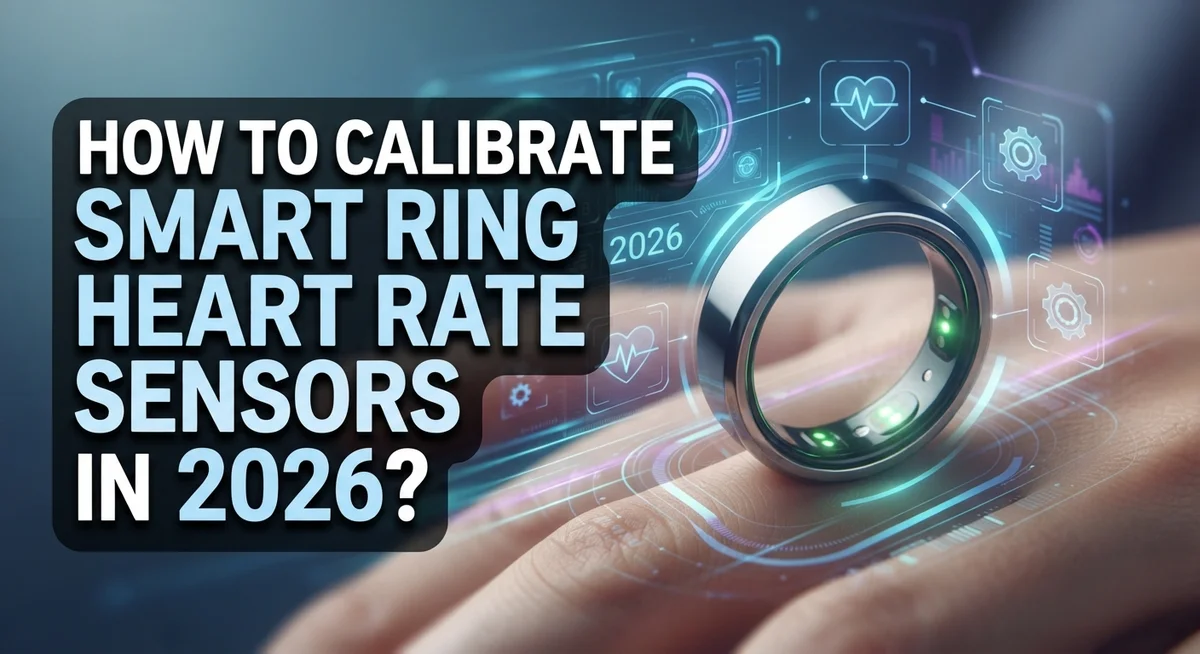
How To Calibrate Smart Ring Heart Rate Sensors In 2026?
Smart rings have come a long way, and in 2026, their heart rate sensors are more advanced than ever. But even the best sensor needs proper calibration to give you accurate, reliable data.
Many users skip this step entirely. That’s a mistake that leads to wrong readings, missed health insights, and frustrating data errors.
Whether you’re new to smart rings or upgrading your setup, knowing how to calibrate your heart rate sensor correctly makes a real difference. A poorly calibrated sensor can misread your heart rate by a significant margin.
This guide walks you through everything you need to know. You’ll learn the exact steps to calibrate your smart ring’s heart rate sensor, the most common mistakes to avoid, and how to fix frequent issues like time zone errors and sensor initialization failures.
By the end of this article, you’ll have full confidence in your smart ring’s readings and a clear routine to keep your sensor performing at its best.
In a Nutshell
- Go to My Page > Smart Ring Settings > Sensor Calibration in your app to start the process.
- Always wait at least 5 seconds during sensor initialization. Skipping this causes calibration failures.
- Keep your measurement conditions consistent. Same time, same finger position, same environment gives better results.
- Always verify your location and time zone settings in the app. A wrong time zone leads to incorrect data reporting.
- Use scheduled, routine measurements instead of random spot checks. This builds a more reliable health data pattern over time.
- Never rely on your smart ring as a sole diagnostic tool. Cross-reference readings with clinical devices and consult a medical professional for any health concerns.
What Is Smart Ring Heart Rate Sensor Calibration?
Smart ring heart rate sensor calibration is the process of adjusting your device to read your pulse accurately. Your ring’s sensor sits against your skin and picks up tiny blood flow changes. Without proper calibration, these readings can be off by several beats per minute.
Think of calibration like zeroing a scale before weighing yourself. The sensor needs a baseline reference point to work correctly. When you calibrate, you’re essentially telling your smart ring what your actual heart rate is at that moment. The device then uses this information to fine tune its measurements going forward.
Calibration ensures consistency between your ring’s readings and your true heart rate. This matters because your smart ring tracks trends over time. If the initial readings are wrong, all your health insights suffer. You lose reliable data about your fitness progress, stress levels, and sleep quality.
The calibration process happens inside your app. You access it through a simple menu, then follow on screen prompts. The system asks you to stay still for a minimum of 5 seconds while it initializes the sensor. This brief pause allows the device to establish an accurate baseline.
Location and time zone settings also play a role in sensor accuracy. Incorrect time zone information can cause your data to report at the wrong times. This creates confusion in your health records and makes trend analysis unreliable.
Calibration is not a one time event. Your smart ring benefits from periodic recalibration, especially if you notice reading drift or if you haven’t used the device for a while. Regular calibration keeps your sensor performing at its best and your health data trustworthy.
Why Calibrating Your Smart Ring Heart Rate Sensor Matters
Your smart ring’s heart rate sensor needs regular calibration to give you accurate readings. Without it, you get unreliable data that can’t help you understand your health.
Accurate heart rate data matters for your wellness routine. When your sensor is calibrated correctly, you see real numbers you can trust. This helps you track fitness progress, monitor stress levels, and notice changes in your cardiovascular health over time.
Inaccurate readings create real problems. You might think your heart rate is normal when it’s actually elevated. You could miss warning signs that need attention. You might adjust your workout intensity based on false data, which wastes your effort.
Calibration also prevents frustration. Many users get confused when their ring shows different numbers than their smartwatch or fitness tracker. This happens because the sensors weren’t calibrated properly. Once you calibrate, your readings become consistent and reliable.
Your smart ring works best when it sits properly on your finger and reads your pulse clearly. Calibration teaches the sensor to recognize your individual pulse pattern. Everyone’s heart rhythm is slightly different, so your ring needs to learn yours specifically.
Regular calibration keeps your device working at peak performance. Your ring’s sensor can drift over time, especially if you wear it inconsistently or change your routine. Recalibrating every few weeks ensures your data stays accurate.
Think of calibration as maintenance for your health device. Just like you service a car to keep it running smoothly, you calibrate your ring to keep its readings trustworthy. This simple step takes minutes but gives you confidence in every heart rate measurement you get.
What You Need Before You Start Calibration
Before you start calibrating your smart ring heart rate sensor, gather a few essential items and check your setup. This preparation step takes just a few minutes but makes a huge difference in calibration success.
First, make sure your smart ring is clean and dry. Sweat, moisture, or dirt on the sensor can block accurate readings. Gently wipe the inside of the ring with a soft, dry cloth. A clean sensor gives you reliable data from the start.
Next, charge your ring fully. A low battery can interrupt the calibration process and cause errors. Plug it in and wait until you see a full charge indicator in your app. This prevents frustration during sensor initialization.
Download or update your smart ring app to the latest version. Older versions sometimes have bugs that affect calibration. Check your device’s app store for any pending updates and install them before you begin.
Have your smartphone or tablet ready. You’ll need it to access the calibration menu and follow on screen instructions. Make sure your phone has a strong internet connection. A weak signal can cause the app to freeze or lose your calibration data.
Wear your ring on the correct finger. Most smart rings work best on your index or middle finger. The fit should be snug but not tight. Your ring needs to stay still during calibration, so avoid loose rings that slide around.
Find a calm, quiet space where you can sit comfortably for five minutes. Avoid exercising, eating, or moving around right before calibration. Your body should be at rest. This gives your heart rate a stable baseline for accurate sensor adjustment.
Step-by-Step Guide To Calibrate Your Smart Ring Heart Rate Sensor
Start by opening your smart ring app on your smartphone. Look for the main menu, usually labeled “My Page” or a similar home screen option. Tap on “Smart Ring Settings” to access your device options.
Once you’re in settings, find the “Sensor Calibration” section. This is where you’ll begin the calibration process. The app will show you on screen instructions that guide you through each step. Read these instructions carefully before proceeding.
Make sure your smart ring is clean and completely dry. Any moisture or dirt can interfere with sensor accuracy. Wipe the ring gently with a soft, dry cloth if needed.
Wear your ring on the correct finger, typically your index or middle finger. Position it snugly but comfortably on your skin. The sensor needs direct contact with your skin to read your heart rate properly.
Find a quiet, calm space where you can sit still. Avoid moving or talking during the calibration process. Movement and distractions can cause inaccurate readings.
When you’re ready, follow the on screen prompts in your app. The calibration requires a minimum of 5 seconds of sensor initialization time. Don’t rush this step or remove your ring early. Let the full process complete without interruption.
After calibration finishes, the app will confirm success. Check that your location and time zone settings are correct in your app. Incorrect location settings cause data reporting errors and affect your heart rate statistics.
Keep your ring charged before starting calibration. A low battery can interrupt the process and cause failures. Once calibration completes successfully, your sensor is ready to provide accurate readings for your wellness tracking.
How To Maintain Consistent Measurement Conditions For Accurate Readings
Consistent measurement conditions form the foundation of accurate smart ring heart rate readings. Your environment and habits directly affect how well your sensor performs during calibration and daily use.
Start by choosing the same location each time you measure. A quiet room with stable temperature works best. Avoid areas with extreme heat or cold, as these factors influence blood flow and sensor readings. Your body temperature affects how your skin conducts electrical signals to the sensor.
Timing matters just as much as location. Take measurements at the same time each day when possible. Morning readings differ from evening readings because your heart rate naturally varies throughout the day. Your body is more relaxed after sitting for several minutes, which gives you a baseline heart rate.
Position your ring consistently on the same finger. The index and middle fingers typically provide the clearest readings. Make sure the ring sits snugly but comfortably. A loose ring moves around and creates inconsistent contact with your skin.
Verify your app’s location and time zone settings regularly. Incorrect time zone information causes your data to report at wrong times, which confuses your measurement history. This small detail prevents reporting errors that stack up over weeks.
Establish a routine measurement schedule rather than checking your heart rate randomly. Your body responds better to predictable patterns. Sit quietly for at least two minutes before taking a reading. This allows your heart rate to stabilize from any recent activity.
Avoid caffeine, intense exercise, or stress right before measurement. These factors spike your heart rate temporarily and skew your baseline data. Keep your finger still during the entire reading process. Movement disrupts sensor contact and produces unreliable numbers that don’t reflect your actual heart rate.
Common Mistakes To Avoid During Smart Ring Calibration
Calibration mistakes can undermine your smart ring’s accuracy. Here are the most common errors you should avoid.
Skipping the full initialization time causes sensor failures. Your ring needs a minimum of 5 seconds to initialize properly. Rushing this step means your readings will be unreliable. Wait for the complete countdown before moving your hand.
Ignoring time zone settings creates major data reporting problems. Your app tracks when measurements occur. If your time zone is wrong, the app records incorrect timestamps. This makes your health history confusing and inaccurate. Always verify your location and time zone before calibrating.
Taking sporadic measurements instead of scheduled ones reduces consistency. Random readings throughout the day confuse your ring’s algorithms. Your device learns better from routine, predictable measurements. Pick a specific time each day and stick to it.
Relying solely on ring data for health decisions is risky. Smart rings are helpful tools, but they’re not medical devices. Don’t use your ring as your only source for diagnosing conditions. Cross reference your readings with clinical devices when health concerns arise. Always consult healthcare professionals about unusual results.
Neglecting app notifications means you miss important calibration alerts. Your app sends reminders for a reason. These notifications help keep your sensor accurate. Read and respond to every message your app sends.
Wearing your ring inconsistently on different fingers affects results. Your ring performs best on your index or middle finger. Switching fingers changes sensor contact and pressure. Keep it on the same finger every day.
Avoiding these mistakes ensures your smart ring delivers the accurate heart rate data you need.
Troubleshooting Smart Ring Heart Rate Sensor Calibration Issues
When your smart ring’s heart rate sensor stops working correctly, several common issues cause the problem. Time zone misalignment ranks as the most frequent culprit behind inaccurate readings. Your app’s location settings directly affect how your device reports data, so verify these settings first when troubleshooting begins.
Sensor calibration failures often stem from rushing the initialization process. The device requires a minimum 5 second wait period to properly initialize. If you skip this step or interrupt it early, your sensor won’t calibrate correctly. Always allow the full time before moving on.
Check that your ring’s battery has sufficient charge before attempting recalibration. A low battery can cause the sensor to malfunction or fail during the calibration sequence. Plug your device in and wait until it reaches at least 50% capacity.
Your measurement environment matters significantly for accurate readings. Perform calibration in a quiet, calm space where you can sit completely still. Movement, noise, or temperature changes during the process can trigger calibration errors.
If problems persist after checking these items, try resetting your location settings within the app. This action often resolves time zone related issues that cause incorrect data reporting. Navigate to your location preferences and update them, even if they appear correct already.
Consider cross referencing your ring’s readings with a clinical device to determine if the sensor itself has failed. Don’t rely solely on your ring for health decisions. If readings remain consistently inaccurate after troubleshooting, your sensor may require professional service or replacement.
Pay attention to all app notifications during calibration. These alerts guide you through proper procedures and warn you about potential issues before they become serious problems.
How To Verify Your Calibration Results Against Clinical Devices
Your smart ring gives you heart rate data, but you need to know if that data is actually accurate. The best way to verify your calibration results is to compare your ring readings with clinical devices that medical professionals trust.
Start with a clinical-grade heart rate monitor. These devices use proven technology that healthcare settings rely on. You can find them at medical clinics, hospitals, or pharmacies. Take a reading on your smart ring and immediately take one on the clinical device. Do this multiple times over several days to build a reliable comparison.
Check for consistent patterns between the two devices. Your ring should show readings within 5 to 10 beats per minute of the clinical device. Small differences are normal because devices measure slightly differently. Major gaps suggest your ring needs recalibration.
Document your findings in a simple chart. Write down the date, time, ring reading, and clinical reading for each test. This record helps you spot trends and share information with your doctor if needed.
Don’t rely on your ring alone for health decisions. If you notice your ring consistently reads higher or lower than clinical devices, contact the manufacturer’s support team. They can help you recalibrate or identify sensor problems.
Remember that calibration verification takes time and patience. Rushing this process defeats the purpose. By comparing your smart ring against clinical devices regularly, you gain confidence in your readings and catch accuracy problems early. This verification step protects your health and ensures your ring works as intended for daily heart rate monitoring.
Final Thoughts
Calibrating your smart ring’s heart rate sensor is a straightforward process, but it requires attention to detail and consistency to get accurate results.
The most important step is allowing the full 5-second initialization period. Rushing this process is one of the most common reasons calibration fails. Give the sensor the time it needs every single time.
Your time zone and location settings play a bigger role than most people realize. Always verify these settings in your app before and after calibration. Incorrect time zone data directly causes reporting errors that make your readings unreliable.
Scheduled, routine measurements will always outperform sporadic ones. Build a simple habit of measuring at the same time each day under consistent conditions. This single change dramatically improves your data quality over time.
Never treat your smart ring as a standalone medical device. Cross-referencing your readings with a clinical device remains the best way to confirm your sensor is performing correctly. Your ring supports your health awareness; it does not replace professional medical guidance.
Stay on top of app notifications. These alerts exist for a reason, and missing them means you could be working with outdated or uncorrected sensor data without realizing it.
If something feels off with your readings, go back to basics. Reverify your location settings, ensure the ring is positioned correctly, and confirm the battery has enough charge before recalibrating.
Smart ring technology in 2026 is genuinely impressive, but accuracy depends on the user as much as the device. Follow the calibration steps carefully, maintain consistency, and always pair your ring data with professional health consultations for the best outcomes.
Frequently Asked Questions
How long does smart ring heart rate sensor calibration take?
The calibration process requires a minimum of 5 seconds for proper sensor initialization. This wait time allows your ring to establish a baseline reading and connect with your device. Rushing through this step is one of the most common reasons calibration fails.
Why does my smart ring show inaccurate heart rate readings?
Inaccurate readings often stem from incorrect time zone or location settings in your app. These settings affect how your ring reports data. You should also verify that your measurement environment stays consistent. Poor sensor contact with your skin or insufficient battery charge can also cause problems.
Can I use my smart ring as my only heart rate monitoring device?
No. Your smart ring provides useful data, but it should not be your sole source for health decisions. Cross-reference your ring’s readings with a clinical-grade heart rate monitor to verify accuracy. Your ring should show readings within 5 to 10 beats per minute of clinical devices. If it consistently reads higher or lower, your sensor may need recalibration or professional review.
What should I do if calibration keeps failing?
First, allow the full 5-second initialization period without interruption. Next, check your app notifications and respond to any alerts. Then, verify your location and time zone settings are correct. If problems continue, try resetting your location settings within the app. Ensure your ring has sufficient battery charge before attempting recalibration again.
How often should I take heart rate measurements with my smart ring?
Use scheduled, routine measurements rather than sporadic readings. Consistent measurement patterns give you more reliable data over time. Regular measurements at the same time each day help you track genuine changes in your heart rate.

I’m a tech enthusiast who loves breaking down gadgets, apps, and tools into simple, honest reviews. At GenResizeHub, I help you make smarter buying decisions through in-depth comparisons and easy-to-follow guides. Got a question? Drop me a mail!