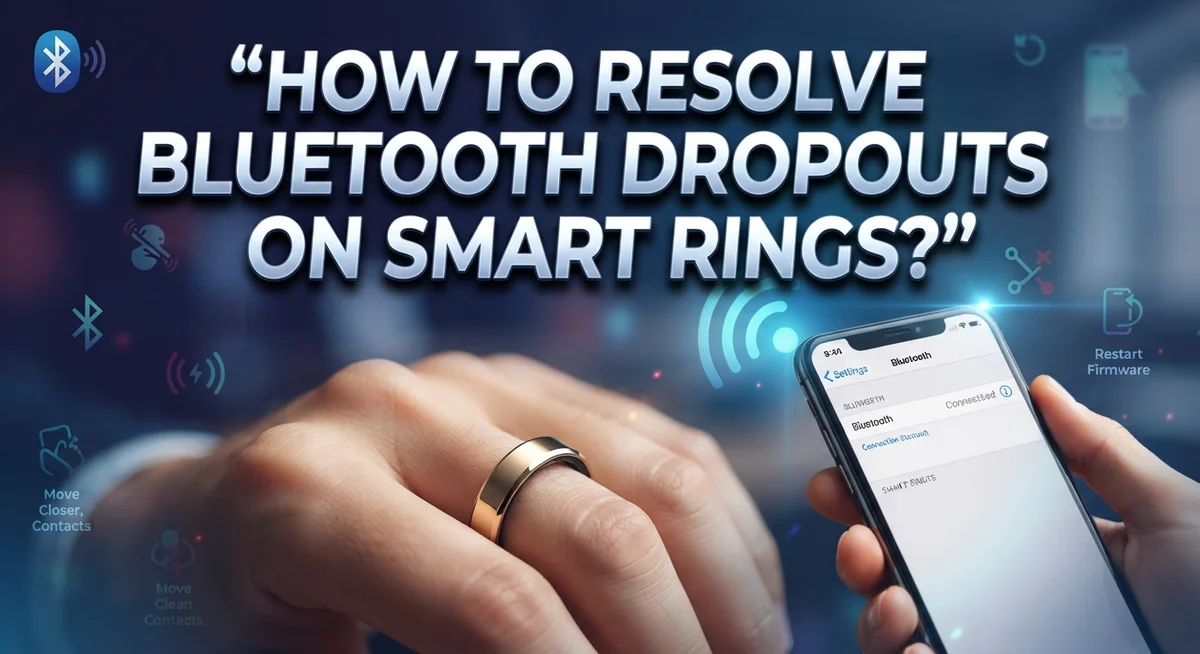
How To Resolve Bluetooth Dropouts On Smart Rings?
Your smart ring just dropped its Bluetooth connection again. It’s frustrating, especially when you’re counting on it to track your sleep, steps, or heart rate without interruption.
Bluetooth dropouts on smart rings are more common than most people think. The good news is that most issues come down to a few fixable causes, like interference, firmware glitches, or pairing problems.
This article walks you through exactly how to resolve Bluetooth dropouts on your smart ring. You will learn what causes them, how to troubleshoot step by step, and how to avoid making the mistakes that keep the problem coming back.
In a Nutshell
Bluetooth dropouts on smart rings are almost always caused by interference, firmware glitches, or pairing issues — not a broken ring.
The first step is always to restart both your smart ring and your phone before trying anything else.
Outdated firmware is one of the most common culprits. Always check for updates inside the ring’s companion app.
Forgetting the device in your phone’s Bluetooth settings and reconnecting from scratch often fixes stubborn connection problems.
Skipping a full reset sequence is a frequent mistake. Partial fixes rarely work long-term, so follow each troubleshooting step in order.
If dropouts keep happening after trying everything, contact the manufacturer’s support team to explore a potential replacement.
What Causes Bluetooth Dropouts on Smart Rings?
Bluetooth dropouts happen when your smart ring loses connection to your phone. Understanding the root causes helps you fix the problem faster.
Bluetooth interference is the most common culprit. Your ring operates on the 2.4 GHz frequency, which is crowded. WiFi routers, microwaves, cordless phones, and other wireless devices all use this same band. When multiple devices transmit signals nearby, they can jam your ring’s connection. Walls, metal objects, and water also weaken Bluetooth signals.
Firmware glitches cause many dropouts too. Your smart ring runs software that controls how it connects to your phone. Outdated firmware contains bugs that interrupt the connection. These bugs get fixed in updates, but only if you install them. Many users skip updates and wonder why their ring keeps disconnecting.
Connection pairing issues create persistent problems. Your phone stores information about your ring to recognize it quickly. Over time, this pairing data can become corrupted or outdated. Old pairings that weren’t fully deleted can also conflict with new connections. Your phone might try connecting to an old pairing instead of the current one.
Low battery on your ring drains power faster during active Bluetooth use. A weak battery struggles to maintain a stable connection. The ring needs enough power to broadcast and receive signals consistently.
Distance and obstacles matter more than people realize. Bluetooth typically works within 30 feet, but walls reduce this range. If your phone is in another room or too far away, the connection weakens. Your ring might drop the connection temporarily when you move between rooms.
These four factors account for almost all Bluetooth dropout issues on smart rings.
How to Tell If Your Smart Ring Has a Bluetooth Problem
Your smart ring sends you signals when something goes wrong. Recognizing these signs helps you catch Bluetooth problems early before they get worse.
Watch for sudden disconnections. Your ring might disconnect and reconnect repeatedly throughout the day. You notice your phone stops syncing data from the ring. Notifications stop arriving even though your ring should be sending them. These disconnections happen without any clear reason.
Check if your ring stays connected nearby but drops far away. Walk around your house with your phone. If the ring loses connection in certain rooms or areas, interference is likely the culprit. Bluetooth signals travel about 30 feet in open space. Walls, metal objects, and other wireless devices weaken the signal.
Look at your app for error messages. Open your smart ring’s companion app. The app might show “connection lost” or “pairing failed” warnings. Some apps display a weak signal indicator. Red or orange connection status means problems exist.
Notice if your ring battery drains faster than normal. When Bluetooth struggles to maintain a connection, it works harder. Your ring’s battery empties quicker than usual. This extra power drain indicates connection stress.
Try a simple test. Restart your phone’s Bluetooth. See if your ring reconnects automatically within 10 seconds. If reconnection takes longer or fails completely, a Bluetooth problem exists. If your ring never reconnects without manual intervention, the issue is serious.
Pay attention to timing. Does the problem happen after you update your phone’s software? Did it start after you used your ring near certain devices? Timing clues point toward specific causes like interference or outdated firmware.
Step-by-Step Guide to Fix Bluetooth Dropouts on Smart Rings
Here’s a practical approach to fix Bluetooth dropouts on your smart ring. Follow these steps in order for the best results.
Start with the basics. Power off your smart ring completely. Remove it from the charger, wait 30 seconds, then put it back on the charger. Keep it connected to power while you work through these steps. This simple reset often clears temporary glitches that cause dropouts.
Next, update your ring’s firmware through its companion app. Open the app on your phone and look for a settings or updates section. Download any available firmware updates. This fixes known bugs that manufacturers discover after release.
Now force close the ring app on your phone. Go to your phone’s settings, find the app in your installed applications list, and select “Force Stop.” This clears any stuck processes causing connection problems.
Clear the old Bluetooth pairing next. Go to your phone’s Bluetooth settings, find your smart ring in the list of connected devices, and select “Forget” or “Remove.” This removes the corrupted connection data.
Restart both devices completely. Turn off your phone fully, not just the screen. Wait 20 seconds, then power it back on. Put your ring back on the charger and restart it too.
Reconnect from scratch. Open your ring’s app and follow the initial pairing instructions as if you’re setting it up for the first time. Your phone will search for the ring and create a fresh connection.
Test the connection by moving around your home. Walk different distances from your phone to check stability. If dropouts stop, the issue is resolved.
How to Update Your Smart Ring Firmware to Prevent Disconnections
Firmware updates fix many Bluetooth dropout issues on smart rings. Your ring’s software controls how it communicates with your phone, so outdated firmware often causes connection problems.
Start by opening your smart ring’s companion app on your phone. Look for a settings or device menu. Most apps show your current firmware version and whether an update is available. If an update exists, tap the update button.
Keep your ring on its charger during the entire update process. Your ring needs steady power to install new firmware successfully. A low battery can interrupt the update and cause problems. Leave your ring charging for at least 30 minutes after the update finishes.
Make sure your phone has a strong WiFi connection. Firmware downloads are large files. A weak WiFi signal can pause or fail the download. Stay close to your router while updating.
Don’t use your ring or close the app during the update. Let the process complete fully. Interrupting it can leave your firmware partially installed, which makes dropouts worse.
After the update finishes, restart both your phone and your ring. Power off your ring completely, wait 10 seconds, then turn it back on. Restart your phone too. This helps your devices recognize the new firmware properly.
Test your connection after restarting. Walk around your home and check if dropouts still happen. Most firmware updates solve connection issues within a few hours of installation.
Check for updates monthly. Manufacturers release new firmware regularly to improve stability and fix bugs. Regular updates prevent future dropout problems before they start affecting your daily use.
How to Re-Pair Your Smart Ring from Scratch
Re pairing your smart ring from scratch gives you a fresh start. This process removes all old connection data and sets everything up as if you’re using the ring for the first time.
Begin by forgetting the device completely. Open your phone’s Bluetooth settings. Find your smart ring in the list of paired devices. Tap the option to “forget” or “remove” this device. This step is critical because incomplete removal causes reconnection failures.
Next, power off your smart ring entirely. Most rings have a power button or require you to hold a specific button combination. Wait at least 10 seconds before turning it back on. This pause clears temporary memory issues that prevent fresh pairing.
Restart your phone’s Bluetooth completely. Go to your phone’s settings and toggle Bluetooth off. Wait 15 seconds, then turn Bluetooth back on. Your phone’s Bluetooth radio needs this reset to recognize your ring as a new device.
Now open your smart ring’s companion app. Look for an option like “add new device” or “pair device.” Follow the on screen instructions exactly as they appear. Your phone will search for nearby Bluetooth devices.
Select your smart ring when it appears in the list. The app may ask for confirmation or a PIN code. Complete each step the app requests without skipping ahead.
After pairing finishes, test the connection by moving around. Walk to different rooms in your home. Check that your ring stays connected without dropping. If connection holds steady for several hours, the re pairing worked successfully.
Environmental Factors That Worsen Bluetooth Interference
Bluetooth interference from your environment is one of the biggest reasons smart rings drop their connection. Understanding these environmental factors helps you fix the problem faster.
WiFi networks create the most common interference. Your home WiFi operates on the same 2.4 GHz frequency that Bluetooth uses. When your WiFi signal is strong, it can overpower your ring’s Bluetooth connection. Move away from your WiFi router when you experience dropouts. Test your connection in different rooms to see if distance helps.
Microwave ovens are another major culprit. These devices emit strong electromagnetic signals when running. Your ring may disconnect completely while someone heats food nearby. Avoid using your ring in kitchens during peak cooking times. Wait a few minutes after the microwave shuts off before reconnecting.
Cordless phones and baby monitors also operate on 2.4 GHz frequencies. These devices can disrupt your Bluetooth signal significantly. Keep your ring away from these devices when possible.
Physical obstacles weaken Bluetooth strength too. Metal objects, thick walls, and water absorb Bluetooth signals. Keeping your phone and ring close together reduces dropout risk. Stay within 30 feet of your phone for stable connections.
Dense crowds at events cause problems because many people have active Bluetooth devices nearby. Your ring must compete for signal space with dozens of phones, headphones, and wearables. Expect occasional dropouts in crowded areas.
High electrical interference from power lines or industrial equipment can disrupt connections. If you live near these sources, move to a different location and test your ring.
Identifying which environmental factor causes your dropouts helps you choose the right solution. Test your ring in different locations and times to pinpoint the exact problem.
Common Mistakes That Make Bluetooth Dropouts Worse
Many people accidentally make their smart ring connection problems worse through simple mistakes. Understanding what to avoid helps you fix dropouts faster.
Skipping firmware updates is the biggest error. Many users ignore update notifications from their ring’s app. Outdated firmware contains bugs that cause connection instability. Always install updates when your app prompts you to do so.
Not fully forgetting old Bluetooth pairings creates major problems. Your phone remembers previous connections to your ring. If you don’t completely remove the old pairing before reconnecting, your phone gets confused about which connection to use. Go into your phone’s Bluetooth settings and select “forget this device” completely before trying to pair again.
Attempting to reconnect without a proper reset sequence wastes your time. Some people try pairing their ring again without powering it off first. This doesn’t clear the connection glitches from memory. Always power off your ring completely, wait at least 10 seconds, then power it back on before reconnecting.
Keeping your ring too far from your phone during pairing causes connection failures. Stay within 10 feet of your phone during the pairing process. Move closer if possible.
Using your ring while the companion app is updating creates corruption. Close the app entirely and avoid wearing your ring until the update finishes completely.
Ignoring battery warnings leads to connection drops. A low battery drains too quickly to maintain stable Bluetooth signals. Charge your ring regularly before the battery gets critically low.
These mistakes compound each other and make dropouts much worse than they need to be.
When to Contact Manufacturer Support
You’ve tried the basic fixes. Your firmware is current. You’ve reset your ring multiple times. At this point, contacting the manufacturer makes sense.
Most manufacturers offer support through their official website or mobile app. Look for a “Help” or “Support” section. You’ll typically find contact options like email, chat, or phone support. Have your ring’s serial number ready before you reach out.
Document your problem clearly before contacting support. Write down when the dropouts happen. Note if they occur at specific times or locations. Mention how many times you’ve reset your ring. List any error messages you’ve seen. This information helps support teams diagnose issues faster.
Persistent dropouts after following all troubleshooting steps usually point to a hardware defect. Your ring’s Bluetooth chip may be faulty. The battery could be degrading faster than normal. These issues cannot be fixed through software updates or resets.
Support agents will ask you to describe your troubleshooting steps. They may request screenshots of your app settings. Some manufacturers ask you to perform one final reset sequence while on a support call. If nothing works, they typically offer a replacement device.
Keep your proof of purchase handy. Most warranty periods last one to two years from the purchase date. Your receipt or order confirmation proves eligibility for replacement.
Response times vary by manufacturer. Email support may take 24 to 48 hours. Live chat often provides answers within minutes. Phone support gives you immediate assistance if available in your region.
Don’t hesitate to escalate your case if the first response doesn’t resolve your issue. Manufacturers want satisfied customers and will work with you to find a solution.
Final Thoughts
Bluetooth dropouts on smart rings are frustrating, but they are almost always fixable. The root cause is usually interference or a firmware glitch, not a broken device. That’s good news because both issues have clear solutions.
Start with the basics every time a dropout happens. Restart your ring and your phone first. Then check if your firmware is up to date through the companion app. These two steps alone fix most connection problems.
Always fully “forget” the device in your Bluetooth settings before reconnecting. This clears old pairing data that silently causes dropouts. A clean reconnection is far more stable than patching over an old one.
Keep your ring charged regularly. Low battery levels weaken the Bluetooth signal and make dropouts more frequent. A simple charging habit prevents a surprising number of connection issues.
Stay mindful of your environment. Crowded spaces, thick walls, and active WiFi networks all weaken your ring’s connection. Moving closer to your phone during pairing always helps.
If dropouts keep happening after all troubleshooting steps, contact your manufacturer’s support team. Persistent issues after a full reset sequence usually point to a hardware defect that needs professional attention. Keep your proof of purchase ready for that conversation.
The most important takeaway is to follow the full reset sequence in order. Skipping steps wastes time and leaves the real problem unsolved.
Smart rings are powerful health tools when they work properly. Consistent firmware updates, clean pairings, and regular charging are all you need to keep your connection stable long-term. Small habits make a big difference.
Frequently Asked Questions
Why does my smart ring keep disconnecting from my phone?
Bluetooth dropouts happen for three main reasons. Interference from other wireless devices blocks your connection. Firmware glitches cause the ring to lose sync with your phone. Pairing problems occur when old connection data stays stuck in your device’s memory.
The good news? These issues are almost always fixable with basic troubleshooting steps.
How do I fix sudden disconnections after weeks of normal use?
Start by updating your ring’s firmware through the companion app. Keep your ring on the charger while this happens. Next, force close the ring app completely on your phone.
Then forget the device in your phone’s Bluetooth settings. Wait 30 seconds. Turn your phone’s Bluetooth off and back on. Now reconnect your ring from scratch. This full reset sequence clears corrupted pairing data that causes dropouts.
What should I do if dropouts keep happening?
First, charge your ring regularly and keep it within 30 feet of your phone during use. Check that no other Bluetooth devices are creating interference nearby.
If problems persist after following all troubleshooting steps, contact your manufacturer’s support team. Document what you’ve already tried. Keep your proof of purchase ready. Most manufacturers can offer replacements if your ring has a hardware defect.
Can a low battery cause Bluetooth dropouts?
Yes. A ring with low charge struggles to maintain a stable connection. Charge your ring regularly to prevent this issue. Most smart rings need charging every 3 to 7 days depending on usage.

I’m a tech enthusiast who loves breaking down gadgets, apps, and tools into simple, honest reviews. At GenResizeHub, I help you make smarter buying decisions through in-depth comparisons and easy-to-follow guides. Got a question? Drop me a mail!