How To Clean Dust From Underneath Rollable Smartphone Displays?
Rollable smartphones represent one of the most exciting leaps in mobile technology. These devices use flexible OLED panels that slide or roll out of a compact body to deliver a larger screen. But this clever engineering comes with a catch.
Dust can sneak underneath the display through the rolling mechanism, the bristle barriers, and the tiny gaps where the screen enters and exits the device body.
If you own a rollable phone or plan to buy one, dust buildup under the display is a real concern. Unlike traditional smartphones with sealed glass screens, rollable displays have moving parts. The screen physically travels along internal tracks, which creates entry points for microscopic particles.
This guide gives you clear, practical, and safe methods to clean dust from underneath your rollable smartphone display. Every method discussed here has been evaluated for safety and effectiveness on delicate flexible screens.
In A Nutshell
- Dust enters rollable displays through the rolling mechanism. The screen slides in and out of the phone body through a narrow channel. Even with protective bristles and seals, fine particles can bypass these barriers over time.
- Never use sharp tools to clean underneath a rollable display. The flexible OLED panel is extremely thin and soft compared to traditional glass screens. Inserting anything rigid can puncture or permanently scratch the panel.
- Compressed air at low pressure is one of the safest first steps. A gentle burst of air can dislodge loose particles without physical contact. However, you must hold the canister upright and use short bursts to avoid spraying cold liquid propellant onto the screen.
- Microfiber cloths and anti static brushes are your best cleaning allies. These tools remove surface dust without creating static charges that attract more particles. They are safe for the soft materials used in flexible displays.
- Prevention is far more effective than cleaning. Storing your phone in a lint free pouch, keeping your pockets clean, and wiping the device daily can dramatically reduce dust ingress. A few seconds of daily care saves you from difficult deep cleaning later.
- Professional repair is the safest option for stubborn dust. If particles are trapped deep beneath the display or have caused visible damage, a certified repair center with the right tools can open the device safely and clean it without voiding your warranty.
Why Dust Gets Underneath Rollable Displays
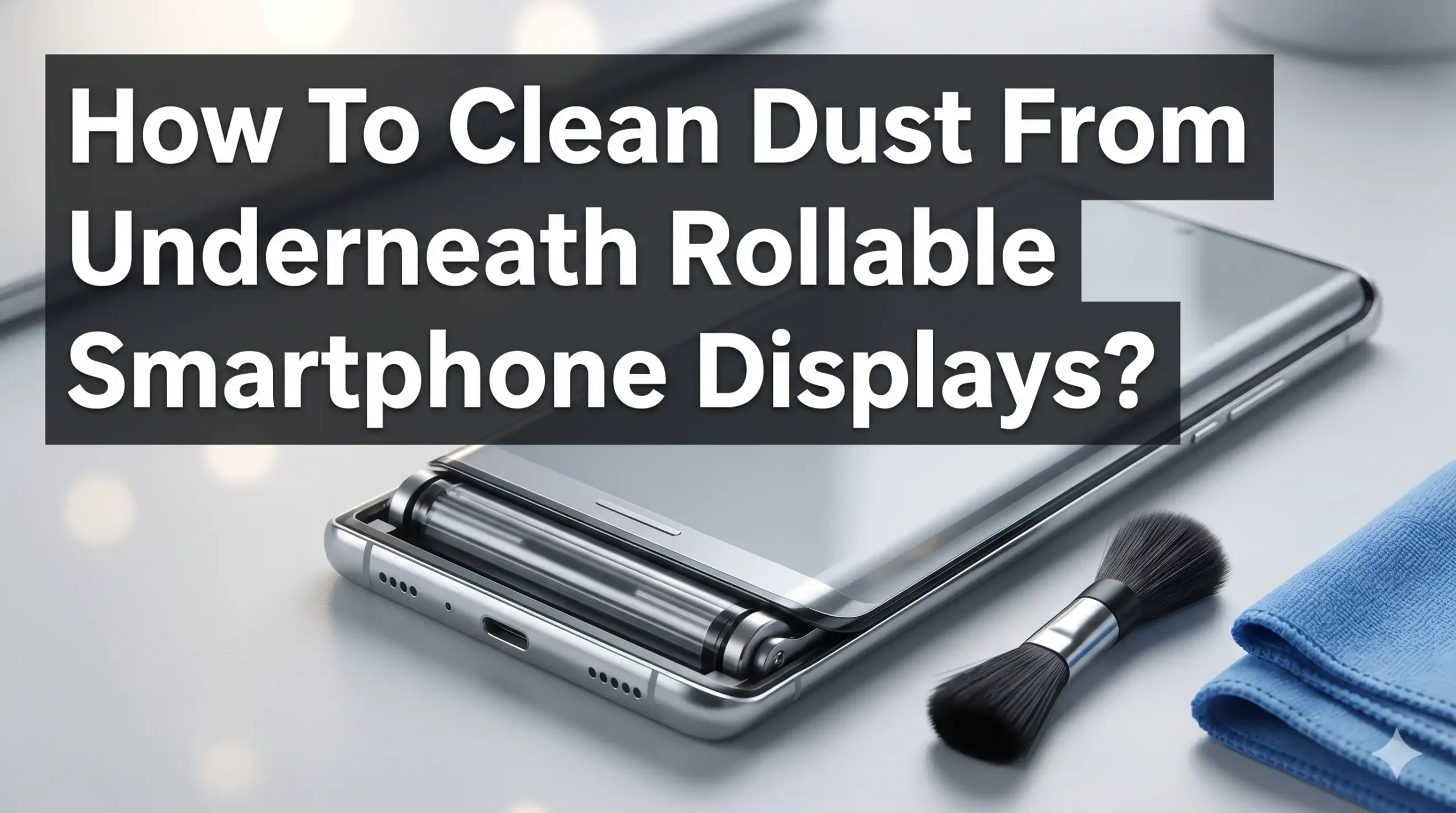
Rollable smartphones work differently from both traditional and foldable phones. The flexible OLED panel wraps around an internal cylinder or spool. When you expand the screen, motors pull the display outward along guided tracks. When you retract it, the screen rolls back inside the phone body.
This rolling action creates a small gap between the screen edge and the phone frame. Manufacturers like LG (whose unreleased Rollable featured brush like barriers for dust protection) and Samsung (whose MWC 2026 slidable concept addressed similar concerns) have added bristle seals and gaskets to block particles. But no seal is perfect. Fine dust, lint from pockets, and airborne particles can still pass through over time.
The problem is worse in dusty environments, humid conditions, or if you frequently carry your phone in a pocket with fabric lint. Every time the screen extends or retracts, the rolling motion can actually pull particles inward like a conveyor belt. This is a fundamental challenge of the rollable form factor that even the best engineering cannot fully eliminate.
Temperature changes also play a role. Moving from a cold outdoor environment to a warm indoor space can create tiny condensation points that attract and trap dust particles against the screen surface.
Signs That Dust Has Accumulated Under Your Display
You might not notice dust under your rollable display right away. The first signs are often subtle. Look for small bright or dark spots that do not wipe away when you clean the outer surface of the screen. These spots are most visible on white or light colored backgrounds.
Another common sign is a change in touch sensitivity. If certain areas of your screen stop responding accurately or feel inconsistent, dust particles underneath could be interfering with the digitizer layer. This is the touch sensing layer that sits just below the display surface.
You may also notice a slight gritty feeling when the screen extends or retracts. The rolling mechanism should feel smooth and quiet. If you hear faint scratching sounds or feel resistance during the roll, particles may have entered the track system. This is a warning sign that should not be ignored because continued use can grind dust into the soft display material and cause scratches.
In more advanced cases, you might see tiny lines or marks that follow the direction of the screen’s movement. These are drag marks left by trapped particles as the display rolls in and out.
Tools You Will Need For Safe Cleaning
Before you start any cleaning process, gather the right tools. Using the wrong materials can cause more harm than the dust itself. Flexible OLED panels are far softer than the tempered glass on traditional smartphones, so every tool must be gentle and non abrasive.
You will need a high quality microfiber cloth that is clean and free of any debris. A dirty microfiber cloth can introduce new scratches. You should also have a can of compressed air designed for electronics. Check that it uses a non flammable propellant and comes with a narrow nozzle attachment for precision.
An anti static brush with soft bristles is another essential item. These brushes are sold specifically for electronics cleaning and they neutralize static charges that would otherwise attract more dust. A rubber bulb air blower (the type used for camera sensor cleaning) is a safer alternative to compressed air because it produces a gentler airflow with zero risk of liquid propellant discharge.
Distilled water can be useful for slightly dampening your microfiber cloth. Avoid tap water because mineral deposits can leave residue on the display. Never use alcohol based cleaners, ammonia, or household cleaning sprays on a flexible OLED screen. These chemicals can degrade the protective coatings and damage the organic compounds in the display.
Method 1: Using Compressed Air For Surface Dust
Compressed air is the quickest way to remove loose dust from around and underneath a rollable display. This method works best for particles that have not yet become trapped deep beneath the screen.
Start by partially extending the display to expose the gap where the screen meets the phone body. Hold the compressed air canister upright at all times. Tilting it can release liquid propellant, which is extremely cold and can damage the flexible panel. Position the nozzle about 6 to 8 inches away from the device.
Use short controlled bursts rather than a continuous stream. Aim the air along the edge of the display where it enters the body of the phone. The goal is to blow particles outward, away from the screen, not deeper inside. Work your way around the entire exposed edge systematically.
Pros of this method: It is fast, requires no physical contact with the screen, and removes loose particles effectively. It is also inexpensive and widely available.
Cons of this method: It may push some particles deeper if the angle is wrong. The liquid propellant risk is real if the canister is tilted. It also cannot remove particles that are stuck or pressed against the display surface. High pressure blasts can potentially damage the delicate bristle barriers inside the rolling mechanism.
Method 2: Rubber Bulb Air Blower Technique
A rubber bulb air blower is a gentler alternative to compressed air. Photographers use these tools to clean camera sensors, which are equally delicate. The air flow from a bulb blower is much softer and completely free of chemical propellants.
To use this method, extend the display partially so you can access the edges where dust enters. Squeeze the bulb firmly and direct the air stream along the seam between the screen and the frame. Repeat this process 10 to 15 times on each edge, working from one side to the other.
The key advantage is precision and safety. You have complete control over the air pressure, and there is zero risk of liquid discharge or freezing damage. The soft airflow is unlikely to push particles deeper or damage internal bristle seals.
Pros of this method: Completely safe for flexible screens. No chemicals or propellants involved. Reusable indefinitely with no ongoing cost. Gives you excellent control over pressure and direction.
Cons of this method: Less powerful than compressed air, so it may not dislodge particles that are firmly stuck. Requires more time and repetition. It may not reach particles that are deep inside the rolling mechanism.
This method is best used as a daily preventive routine rather than a deep cleaning solution. A few quick puffs each day can prevent dust from building up to problematic levels.
Method 3: Anti Static Brush Cleaning
An anti static brush is one of the most effective tools for removing dust from the edges and exposed areas of a rollable display. These brushes feature ultra soft bristles made from materials that dissipate static electricity rather than generating it.
Static charge is a major enemy of dust free screens. Regular cloths and standard brushes create friction that builds up a static charge on the display surface. This charge acts like a magnet for airborne dust particles, making your cleaning efforts counterproductive. An anti static brush solves this problem.
To clean your rollable display, extend the screen fully. Gently sweep the brush across the surface in one direction, starting from the center and moving outward toward the edges. Do not press down hard. Let the bristle tips do the work. Then partially retract the screen and brush along the exposed edges where the display enters the phone body.
Pros of this method: Eliminates static buildup that attracts dust. Very gentle on flexible surfaces. Reaches into small gaps and crevices around the display edges. Affordable and reusable.
Cons of this method: Cannot reach dust that is already deep beneath the display panel. Requires careful handling to avoid bending bristles into the rolling mechanism. Must be kept clean itself, or it will transfer old dust back onto the screen.
Method 4: Microfiber Cloth With Distilled Water
For dust that is lightly adhered to the display surface or the exposed rolling edges, a slightly dampened microfiber cloth can work well. This method provides gentle physical contact that lifts particles without scratching the soft OLED material.
Fold a clean microfiber cloth into a small pad. Dampen one corner with distilled water. The cloth should be barely moist, not wet. You should not see any dripping. Excess moisture near the rolling mechanism can seep inside and cause damage to the motors, circuits, or the display adhesive layers.
Wipe the screen surface gently using straight lines rather than circular motions. Circular wiping can push particles into micro scratches and make them worse. After wiping with the damp section, immediately follow with the dry section of the cloth to remove any remaining moisture.
For the edges near the rolling mechanism, use a dry microfiber cloth only. Do not introduce moisture into the gap where the screen enters the phone body. The internal components of a rollable phone are sensitive to liquid.
Pros of this method: Removes lightly stuck dust and fingerprints effectively. Distilled water leaves no mineral residue. Microfiber is safe for flexible OLED surfaces.
Cons of this method: Moisture near the rolling mechanism creates a risk of internal damage. Only cleans the surface and accessible edges. Cannot address dust already trapped beneath the panel.
Method 5: Gravity Assisted Dust Removal
This is one of the simplest and most overlooked techniques. Gravity can help you move loose particles out from under the display without any tools at all.
Extend the display fully and hold the phone with the screen facing downward. Gently tap the back of the phone with your fingertips. The vibration combined with gravity encourages loose particles to fall away from the display surface. You can also extend and retract the screen several times while holding the phone face down to help the rolling motion carry particles outward.
Combine this technique with a rubber bulb blower for better results. While holding the phone screen side down, use the blower to push air along the bottom edge of the display. Particles dislodged by gravity and airflow will fall away from the screen rather than settling back onto it.
Pros of this method: Requires no tools or purchases. Zero risk of chemical or physical damage. Can be done anywhere, anytime, as a quick maintenance step.
Cons of this method: Only works on loose particles that are not stuck to the display surface. Ineffective for deep dust accumulation or particles embedded in the rolling mechanism. Results may be minimal for phones with tight bristle seals.
What To Avoid When Cleaning Rollable Displays
Knowing what not to do is just as important as knowing the correct methods. Rollable displays are among the most fragile screens on any consumer device. One wrong move can result in costly damage.
Never insert any object into the gap where the screen enters the phone body. Toothpicks, pins, tweezers, thin cards, and similar items can puncture the flexible OLED panel or dislodge internal components like bristle barriers and spring loaded arms. The internal structure of a rollable phone is precisely calibrated, and any disruption can affect how the screen extends and retracts.
Avoid using household cleaning products. Window cleaner, kitchen surface sprays, and alcohol wipes contain chemicals that degrade the polymer layers of flexible displays. Even isopropyl alcohol, which is safe for glass screens, can cause clouding or discoloration on a soft OLED panel.
Do not use vacuum cleaners or high powered air compressors. The suction from a vacuum can pull the flexible display away from its support structure. High pressure air can force dust deeper into the mechanism, damage bristle seals, or even dislodge the screen from its internal tracks.
Never attempt to peel back or lift the display to access the area underneath. Rollable screens are bonded to internal support layers and detaching them outside a professional repair environment will almost certainly destroy the panel.
How To Prevent Dust From Entering Your Rollable Display
Prevention is always easier and cheaper than cleaning. A few simple habits can dramatically reduce the amount of dust that enters your rollable phone’s display mechanism.
Store your phone in a clean, lint free case or pouch when it is not in use. Many rollable phone manufacturers sell or recommend cases that cover the exposed edges where the screen enters the body. If your phone came with such a case, use it consistently.
Clean your pockets and bags regularly. Fabric lint from clothing is one of the biggest sources of dust that gets into phone mechanisms. If you carry your phone in a pocket, turn that pocket inside out and brush it clean periodically. Better yet, use a dedicated pocket that holds only your phone.
Wipe down your phone daily with a dry microfiber cloth. This quick habit removes surface dust before it has a chance to work its way into the rolling mechanism. Pay special attention to the edges and seams of the device.
Avoid using your rollable phone in very dusty environments like construction sites, sandy beaches, or dusty workshops. If you must use it in such conditions, minimize how many times you extend and retract the screen, since each rolling cycle opens and closes the gap where dust can enter.
Keep your phone away from fabric surfaces while extended. Placing an open rollable phone face down on a couch, blanket, or towel invites lint and fiber particles directly onto the screen surface and into the rolling edges.
When To Seek Professional Repair
Some dust problems go beyond what you can safely fix at home. If you see visible particles trapped beneath the display that do not respond to any of the cleaning methods above, it is time to contact a professional.
Certified repair centers have specialized tools including clean room environments, precision suction devices, and the ability to partially disassemble the rolling mechanism without damaging it. They can lift the display from its track, clean the internal surfaces, replace damaged bristle barriers, and reassemble everything to factory standards.
Attempting a DIY disassembly on a rollable phone is extremely risky. The internal motor system, gear tracks, and spring arms are all precisely aligned. Removing even a single component incorrectly can make the phone unable to extend or retract its display. Repair costs for rollable phones can be significant, often reaching several hundred dollars, but a botched DIY repair can turn a fixable issue into a total loss.
Check your warranty before seeking repair. Many manufacturers cover dust related display issues under warranty, especially if the phone is relatively new and shows no signs of user caused damage. Samsung, for example, has acknowledged dust resistance as an area of active improvement in its flexible and slidable display products. Keep your purchase receipt and any warranty documentation accessible.
If your warranty has expired, look for repair shops that specialize in flexible display devices. General phone repair shops may not have experience with rolling mechanisms and could cause additional damage.
Understanding Rollable Display Construction
Knowing how your phone is built helps you understand why dust is such a problem and why certain cleaning methods are safer than others. A rollable display consists of multiple thin layers stacked together.
The top layer is a protective polymer film. Below that sits the OLED pixel layer, which produces the images you see. Underneath the OLED layer is a thin film transistor backplane that controls each pixel. Supporting all of this is a flexible substrate, often made of polyimide, which gives the display its ability to bend and roll without cracking.
These layers together are thinner than a sheet of paper in many designs. The LG Rollable teardown by JerryRigEverything revealed brush like barriers and internal support structures designed to protect this delicate stack as it moves. Samsung’s 2026 slidable display concept also addresses the challenge of keeping particles away from the screen surface during expansion and retraction.
Because the display material is so soft compared to traditional glass, even a small grain of sand trapped underneath can create a visible pressure point or scratch as the screen rolls over it. This is why immediate attention to dust is so important. The longer a particle sits underneath, the more damage it does with each rolling cycle.
Cleaning Schedule For Rollable Phone Owners
Establishing a regular cleaning routine keeps dust problems manageable. Here is a practical schedule that balances effectiveness with convenience.
Every day, give your phone a quick wipe with a dry microfiber cloth. Focus on the screen surface and the seams around the rolling mechanism. This takes about 15 seconds and prevents surface dust from migrating inward.
Once a week, use a rubber bulb air blower to clear the edges where the screen enters the phone body. Extend the display partially and blow air along the seams from multiple angles. Follow this with an anti static brush sweep across the full screen surface.
Once a month, do a more thorough cleaning session. Combine the gravity method, compressed air (used carefully), and a lightly dampened microfiber cloth. Inspect the display closely under bright light for any new spots or particles.
Every six months, consider a professional inspection if your phone sees heavy daily use or if you work in a dusty environment. A technician can check the condition of the internal bristle barriers and rolling mechanism and address any early signs of dust accumulation before they cause real damage.
This schedule adjusts based on your environment. If you live in a particularly dusty or sandy area, increase the frequency of each step. If your phone stays mostly indoors in a clean environment, you can relax the schedule slightly.
The Future Of Dust Resistance In Rollable Phones
Manufacturers are actively working to solve the dust problem in rollable and slidable phones. Samsung’s demonstration at MWC 2026 showed a slidable phone concept where dust and water resistance were highlighted as key engineering priorities. The industry clearly recognizes that dust ingress is one of the biggest barriers to mainstream rollable phone adoption.
Future rollable phones will likely feature improved sealing systems that go beyond simple bristle barriers. Potential solutions include magnetic seals, self cleaning mechanisms, and advanced hydrophobic and oleophobic coatings that repel both moisture and particles. Some engineers are exploring ultrasonic vibration systems that could shake loose particles off the display surface automatically.
IP ratings for dust and water resistance are also expected to improve. Current foldable phones have reached IP48 and even IP69 ratings for water resistance. Applying similar dust protection standards to rollable phones will be a major step forward. When rollable phones achieve reliable dust sealing, the form factor could become as practical and popular as foldables are today.
Until those advances arrive, the cleaning methods and prevention strategies in this guide remain your best defense. Taking care of your rollable display now protects your investment and keeps your phone performing at its best.
Comparing Cleaning Methods At A Glance
Each cleaning method has its place depending on the severity of the dust problem. Compressed air and rubber bulb blowers are best for loose surface dust and edge cleaning. They work quickly and require no contact with the screen.
Anti static brushes offer the best balance of effectiveness and safety for routine maintenance. They remove dust while preventing the static buildup that causes rapid re accumulation. Microfiber cloths with distilled water handle slightly stuck particles on the display surface but must be kept away from the rolling mechanism edges.
The gravity technique is a free and risk free option for quick daily maintenance. For serious dust accumulation beneath the display, professional repair is the only truly safe option.
No single method solves every dust problem. The best approach combines multiple methods into a layered routine. Start with the least invasive technique and escalate only if the dust remains. Always prioritize gentle methods over aggressive ones. The cost of a new flexible display far outweighs the effort of patient, careful cleaning.
Frequently Asked Questions
Can I use a regular cloth instead of a microfiber cloth on my rollable display?
No. Regular cloths, paper towels, and tissues have rough fibers that can scratch the soft polymer surface of a flexible OLED panel. Microfiber cloths are specifically designed with ultra fine fibers that lift dust without scratching. Always use a clean microfiber cloth and wash it regularly to remove accumulated particles.
Is it safe to use screen cleaning sprays on a rollable phone display?
Most commercial screen cleaning sprays are formulated for glass displays and contain chemicals that can damage flexible OLED panels. Stick to distilled water only, applied sparingly to a microfiber cloth. Never spray any liquid directly onto the screen or near the rolling mechanism. If you must use a cleaning solution, check your phone manufacturer’s guidelines for approved products.
How often should I clean my rollable phone to prevent dust buildup?
A quick daily wipe with a dry microfiber cloth is ideal. Weekly edge cleaning with a rubber bulb blower and monthly thorough cleaning sessions will keep dust accumulation under control. Adjust the frequency based on your environment. Dustier settings require more frequent cleaning.
Will dust under my rollable display void my warranty?
This depends on the manufacturer and the specific warranty terms. Some manufacturers consider dust ingress a normal wear issue and cover it under warranty, especially early in the phone’s life. Others may classify it as environmental damage. Check your warranty documentation carefully and contact customer support before attempting any invasive cleaning that could void your coverage.
Can I disassemble my rollable phone to clean dust from inside?
This is strongly discouraged. Rollable phones contain precision engineered motors, gear tracks, and spring mechanisms that require specialized tools and clean room conditions to handle safely. Disassembly by an untrained person will almost certainly cause additional damage and will void your warranty. Always use a certified repair service for internal cleaning.
Does extending and retracting the screen repeatedly help clear dust?
It can help with very loose particles, especially when combined with the gravity method of holding the phone screen side down. However, repeated cycling can also grind trapped particles into the display surface and cause scratches. Use this technique sparingly and gently. If you feel any resistance or hear scratching sounds during the rolling motion, stop immediately and seek professional help.

I’m a tech enthusiast who loves breaking down gadgets, apps, and tools into simple, honest reviews. At GenResizeHub, I help you make smarter buying decisions through in-depth comparisons and easy-to-follow guides. Got a question? Drop me a mail!